Version 26.0Tue Feb 03 2026
• Updated for iOS 26 system UI changes
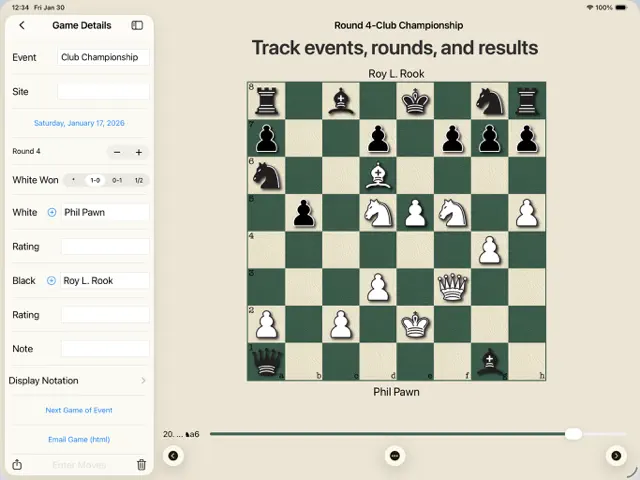
• New sidebar on iPad for improved navigation and layout
• Improved readability when using larger text sizes
• Numerous small improvements and fixes
For chess players who want the ease and accuracy of an electronic scoresheet at an affordable price, now there is Chess Score Pad. Chess Score Pad is designed to be easy to use because we know that you need to concentrate on your game.
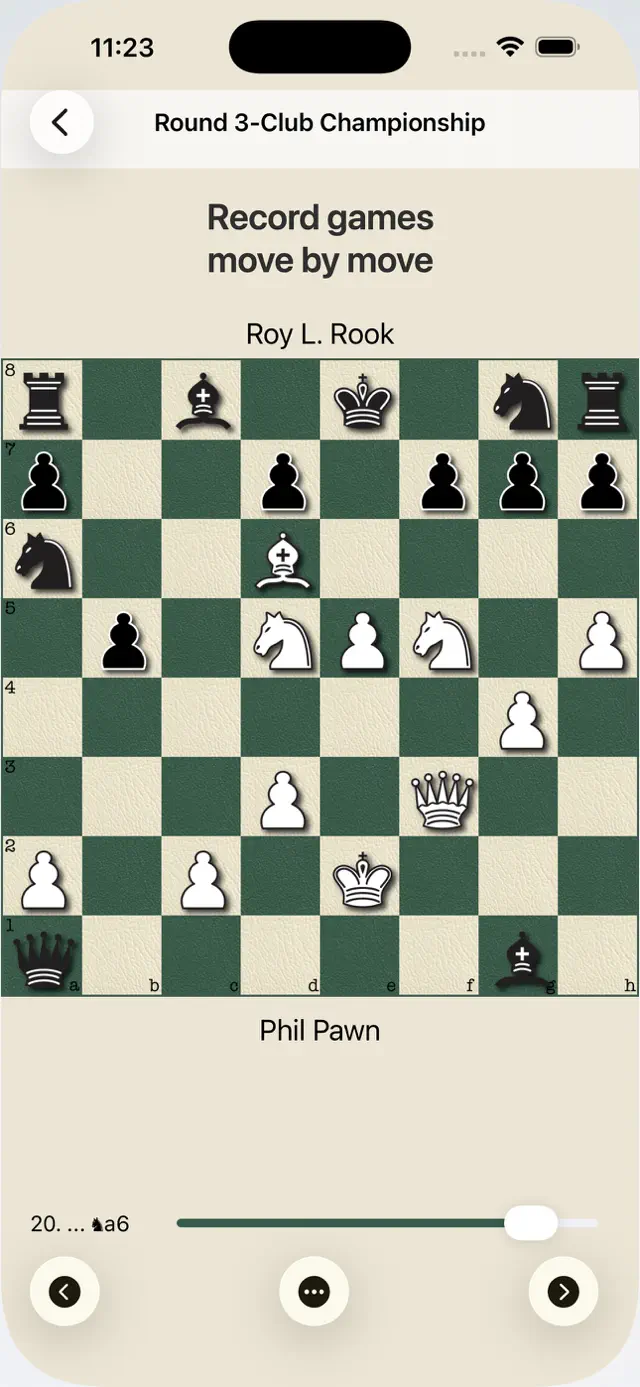
Keeping a score sheet is required for tournament games and essential in order to review your games to improve. A paper scoresheet distracts you from your game and they are prone to errors. Then the game needs to be manually copied into your chess game database. With Chess Score Pad there is no need to translate the move to the coordinates or risk forgetting to record a move. You simply drag or tap the piece to the new square. Then, after the game you can share the PGN file of the game and import it to your chess game database for analysis and review.
* Designed and written by a chess player who has played hundreds of USCF rated games.
* Game PGN can be shared using the standard iOS Sharing. This can include AirDrop, Message, Mail, Notes, Clipboard, Save to Files and direct import to apps that accept PGN (HIARCS).
*Universal App for iPhone, iPod Touch and iPad for one low price.
*Quick and easy setup:
- You can start entering moves without entering any information about the game.
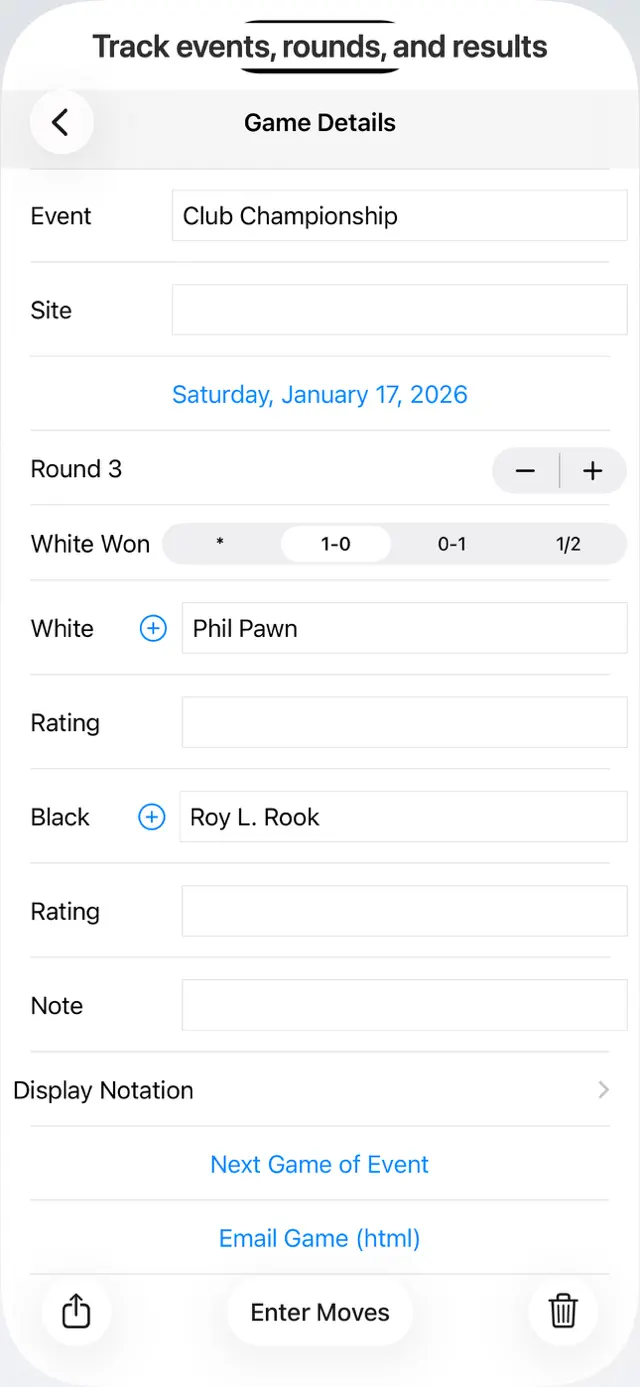
- The "Next Game of Event" action copies the event name and increments the round number.
- You only need to enter your opponents name and your name is automatically entered.
- You can select frequent opponents from your contacts.
- Your pieces are automatically placed at the bottom of the screen.
* All moves are automatically saved. There is no chance of losing the moves you entered because you did not tap a save button.
* Move entry by dragging OR tapping the piece. Both options are always available.
* Straightforward move correction.
* Review moves with single move buttons or the live position slider to quickly find critical positions for review after the game. You can also use a swipe gesture to review moves.
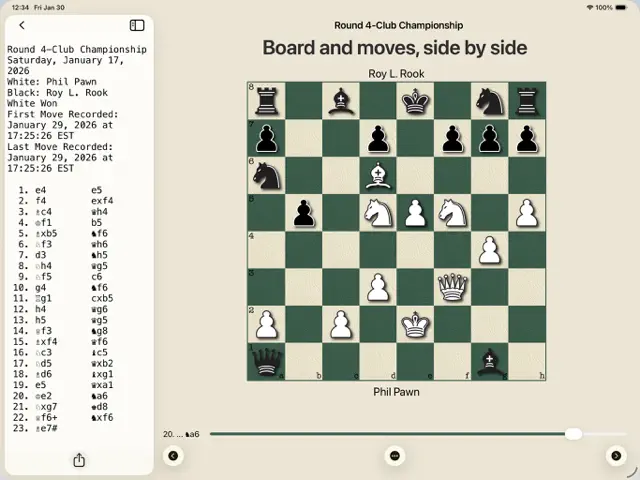
* iPad users can display the notation while entering moves.
* Options to check for legal moves and positions.
* Adjust your screen brightness from the board view with swipe gestures.
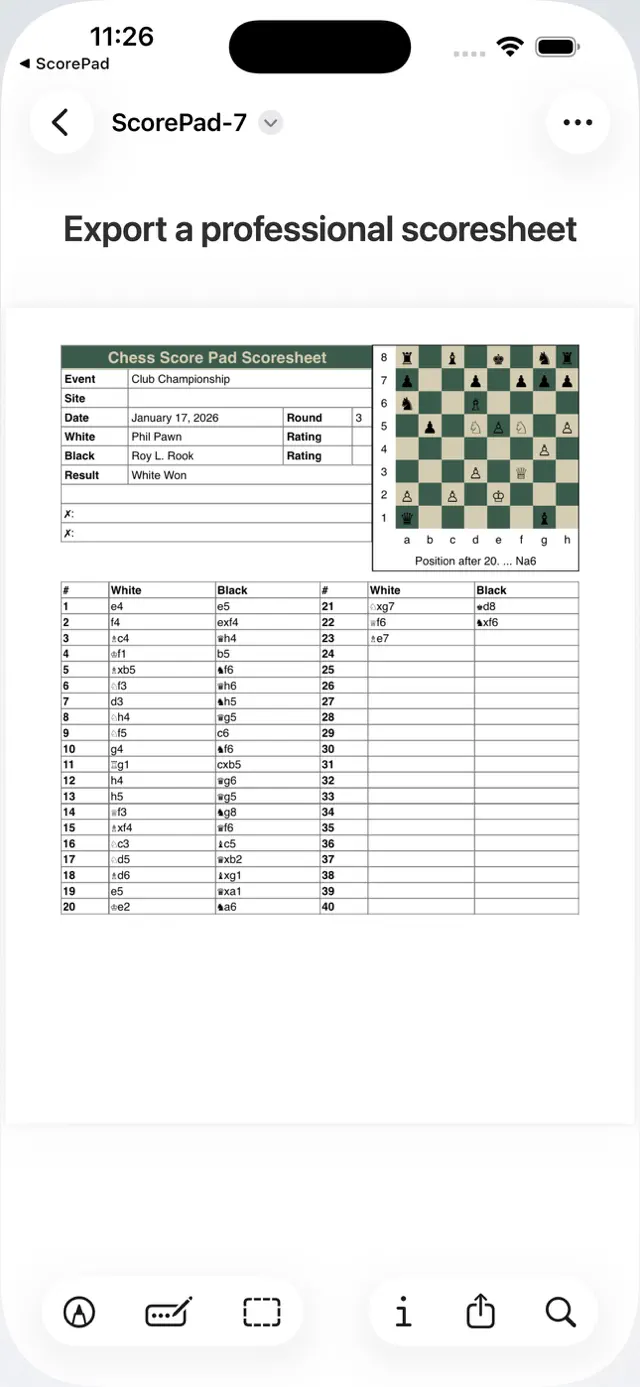
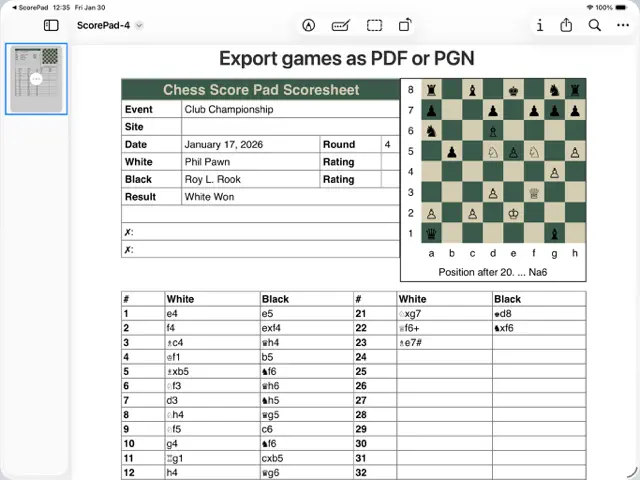
* Print a scoresheet with a position diagram to an AirPrint printer.
* Option to include the time spent on each move in the scoresheet or PGN.
* Localization for English, Dutch, French, German, Italian, Russian, Spanish.
* Option for long (Ng1-e2) or short (Nge2) notation.
* Option for Figurine algebraic notation or Standard algebraic notation (Nf3) .
Chess Score Pad is an electronic scoresheet to record your moves during a chess game. It does not provide analysis. It is not certified so check with your tournament director before using it in a tournament.
More screenshots and documentation of all of the features can be found at ChessScorePad.com
Requires iOS 18.6 or later. Compatible with iPhone, iPad, and iPod touch.
Chess Score Pad
A modern electronic scoresheet designed for over-the-board tournament play.
Record moves effortlessly and export PGN for post-game analysis.
Chess Score Pad replaces paper scoresheets with a clean, distraction-free way to record your games move by move — so you can focus on playing, not writing.
Designed by a tournament player with hundreds of USCF-rated games, Chess Score Pad is built for over-the-board chess and post-game review.
Record games naturally
• Enter moves by tapping or dragging pieces
• No coordinates to write, no notation to translate
• All moves are saved automatically — no “Save” button required
• Easy move correction if a mistake happens
Review positions and games
• Step through moves one at a time
• Scrub through the game with a live position slider
• On iPad, view the board and notation side by side
• Quickly return to critical positions after the game
Export and share
• Export games as PGN for analysis in your chess database
• Share via AirDrop, Mail, Messages, Files, Notes, Clipboard, and compatible chess apps
• Export a professional PDF scoresheet with a position diagram
Built for tournament play
• Start recording immediately — game details are optional
• “Next Game of Event” copies event info and increments the round
• Automatically place your pieces at the bottom of the board
• Optional legal-move and position checking
• Optional move-time tracking
Flexible notation
• Long or short algebraic notation
• Figurine or standard notation
Important note
Chess Score Pad is an electronic scoresheet and does not provide analysis or engine assistance.
Chess Score Pad is not currently certified for tournament use.
It may be permitted at the discretion of the tournament director.
More screenshots and documentation are available at the Support URL.