
Virtual Families 3 is not a game with levels to beat or a story to finish — it is a real-time life simulation that keeps running even when the app is switched off. You adopt a little person, move them into a run-down country house, help them build a career, find a partner, raise children, and eventually hand the house to the next generation. Your little people eat, work, age and get sick in real time, so this guide walks you through the game in order — adopting well, earning coins, keeping everyone healthy and happy, growing a family, and passing the house on — instead of pretending there is one fixed path through it.
Where a tip comes from the App Store listing, the developer's own help articles, or published player guides that agree with each other, I say so. Where the game leaves the order up to you, I say that too, instead of pretending there is one fixed answer. Our Dinsun critic scored Virtual Families 3 62 out of 100 and called it "a slow-burn life sim that demands patience but often feels like a chore due to its real-time mechanics," praising the multigenerational gameplay, the deep home renovation and the engaging random life events, with the warning that the real-time progression is glacial and the game pushes hard toward microtransactions.
Quick Facts
Developer: LDW Software, LLC (Last Day of Work) | Price: Free, with optional in-app purchases (Coins) | App Store rating: 4.8 out of 5 (about 112,000 ratings) | Size: about 287 MB | Requires iOS 15.0 or later | Age rating: 9+ | Playtime: endless — a single generation takes days of real time, according to our Dinsun critic, who played 45 hours and completed 3 generations. The current version is 2.4.11, released 28 September 2020.
Get Virtual Families 3 on the App Store
This is an unofficial fan guide and is not affiliated with Last Day of Work. Tips were checked against the App Store listing, the developer's help articles and player guides, which agree on how the game works. The game changes with updates, so treat this as a working route through the game, not gospel.
Watch the game first
There is no surviving official trailer from Last Day of Work for this game, so these two fan videos show the real game instead. The first is a fan-made trailer that shows the house, the family and the real-time life; the second is a first-impressions gameplay video from the beta that walks through adopting your first little person and the first day in the house. Click the picture to watch on YouTube.
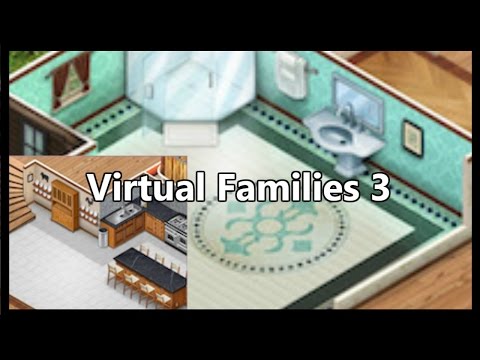 ▶
Watch: Virtual Families 3 trailer (fan-made by Raev Fairwiz — shows the real house and family)
 ▶
Strategy 1: Adopt for the career, not the face
The single most important decision in the game happens before you play at all, and it is on the adoption screen. The adoption certificate shows each candidate's profession and salary before you commit, and "Try Again" rolls a new little person — so do not accept the first one. According to a community salary spreadsheet checked in October 2026, the best careers pay about 6,000 coins a day at Master level, while the weakest stop near 3,100–3,900, so the gap between a good adoption and a bad one is roughly double your income for the whole generation. Look for a high-paying career, a young age, and "wants children" if you plan to grow a family — player guides agree that whether your little person wants kids affects your chances later, and a young couple has more years to have children. The developer's own help article gives the same order of priorities: pick the career at adoption, then make them work, then buy career room upgrades. Everything else in this guide is built on that one choice, so spend five minutes re-rolling here and save yourself weeks of slow income later.
Strategy 2: Make them work — the salary alone is not enough
Every adult earns their daily salary automatically, split into 24 hourly payments, even if they never touch their workstation — that is what the developer's help article says, and it is the game's safety net. But the salary alone will never make you rich. Working is what makes the money grow: each successful work cycle pays a few extra coins on top of the salary, and the bonus grows with the salary, and — crucially — career progress only moves while they are working. No work, no promotions, and promotions are where the big money is. So drag your adult onto their workstation — the kitchen work area, the office computers or the workshop tables, depending on their career — and keep them there. Praise them with the green glove and give them candy and fruit while they work, but do not spam the glove, or they get annoyed. And keep them fed and healthy: the help article says a little person who is sick or hungry, or who is caring for a baby, makes less career progress. A sick worker is a wasted worker, so fix health first, then send them back to the desk.
Strategy 3: Buy career room upgrades before furniture
The store will tempt you with sofas, wallpaper and garden decorations. Ignore them at first. Career room upgrades live in the Career section of the store, and they speed up promotions — they are the only purchase that pays for itself. The developer's help article lists them right after "make them work" in its own advice, and player guides agree they should come first. If you marry, marry inside the same career room: two kitchen workers, for example, both benefit from every kitchen upgrade, so one purchase boosts two incomes. The same logic applies to the house itself: the rooms you start with are a living room that needs serious renovation, an office with computers and a phone, a bathroom, a kitchen with a dining room, and a main room that will most likely be your first bedroom. Fix the rooms your family actually uses — kitchen, office or workshop, bedroom — before decorating the ones they only walk through. A repaired house is not just prettier; it is where your workers sleep, eat and earn.
Strategy 4: Check in little and often — the game runs without you
This is the part the Dinsun critic found hardest, and it is the part you have to make peace with: your little people keep living when the app is switched off. From birth to two years of age takes about 4 hours of real time, and after that they age about one year every four hours, so a generation plays out over days, not an evening. That means the game is played in check-ins, not sessions. The practical routine is three or four short visits a day: feed anyone who is hungry by dragging them to the fridge, send the adults back to work, clean up the garbage and socks that appear on the floor by dragging a little person onto them, and deal with whatever random event has popped up. Do not try to binge it — the game is balanced to be playable for free without purchasing anything, according to the developer's own note in the App Store listing, but only if you let the real-time clock do the work for you. The Dinsun critic's warning stands: if you do not look in for twelve hours, your virtual child may be sick and the kitchen may need attention, so set the habit of a morning and evening check-in and the game stops feeling like a leash.
Strategy 5: Do not gamble on the risky careers, and do not pay to skip the wait
Two traps catch new players, and both are warned about in the sources. First, the gamble careers: the developer warns that stock trading and lotto careers can lose pay after a promotion, so a career that looks exciting on the adoption certificate can end up paying less than a boring one. Stick to the steady careers from Strategy 1. Second, the Coins: the game sells Coins to speed things up, and the Dinsun critic calls the push toward them aggressive. You do not need them. Complete Goals, sell duplicate collectibles and furniture you do not need, use the Free Coins button, and take the good random events — those are the free coin sources, and they add up. The game also has a flea market that refreshes regularly, where you can sell things you have found. If a purchase ever feels necessary to keep playing, that is the moment to close the app and come back in a few hours instead: the salary keeps arriving while you are away, and patience is free.
Walkthrough 1: Move in — your first day in the country house
You start by adopting your first little person (see Strategy 1) and moving into a run-down country house that needs serious work. The house was formerly owned by a couple, Kevin and Rachel, and player guides agree it is said to be haunted by their deceased daughter, the Little Girl — she is part of the house's backstory, not a threat, and there is more on her in Walkthrough 4. On day one, do three things. First, learn the drag-and-drop controls: you command your little people by dragging them onto things — drop a hungry person on the fridge to eat, drop someone on the shower to wash, drop them on their workstation to work. Tap a person to see their name, age, career, current action and status. Second, stock the fridge: buy food from the Food and Medicine section of the store, because a hungry little person works badly and gets sick. Third, clean up: the house gets dirty quickly, with garbage and socks on the floor, so drag your little person onto each item and they will pick it up and put it in the trash. Do not buy furniture yet — Strategy 3 comes first — and do not worry about the empty rooms. Your job on day one is simply to keep one person fed, clean and working.
Walkthrough 2: Build the income — career, upgrades, and your first Goals
Once your first little person is settled, the next phase is all about coins. Send them to their workstation every time you check in, praise them with the green glove, and keep them fed so their career progress never stalls. When you can afford it, buy the first career room upgrade from the Career section of the store — it speeds up promotions, and a promotion is a permanent pay rise. Meanwhile, work through the Goals list: the game hands you small objectives, and each one pays coins. Sell duplicate collectibles as you find them — collectibles appear around the house and yard, and duplicates are pure profit — and check the flea market when it refreshes. The community salary figures say a Master-level worker in a top career earns about 6,000 coins a day, but you will not see that for a while; in the first days, a few hundred coins a day is normal, and the house repairs will eat most of it. That is fine. The goal of this phase is not wealth, it is a working adult with a rising salary and a first promotion, and the habit of checking in twice a day. If your little person gets sick, buy medicine from the store and drag them to bed — a sick worker earns less and recovers slowly if ignored.
Walkthrough 3: Find a partner and grow the family
When your little person is earning steadily, it is time to marry. The game lets you choose a partner from marriage candidates, including by email, and offers same-gender marriages — a new option in this third game. Player guides agree on the two rules that matter: only a man-woman pair can have children, and a young couple that wants kids has the best chance of a large family, so check both partners' wishes before committing. Marry inside the same career room if you can (Strategy 3), so both partners benefit from the same upgrades. Once married, babies arrive in real time — birth to age two takes about four hours — and a parent caring for a baby works less, so expect income to dip while a baby is small. Keep the fridge full: a house full of people needs a lot of groceries, and hungry children get sick fast. Children grow up, and when they do, they can take over careers of their own, so a big family is also a bigger workforce. The Dinsun critic's verdict is that seeing the family tree expand over the weeks is the game's real charm, and this is the phase where that starts.
Walkthrough 4: The ghost girl, random events, and the house's secrets
Sooner or later, something strange will happen in the house: the Little Girl, the previous owners' daughter, makes herself known. Player guides and a 2026 guide agree she is searching for a lost doll, and a random footprints event can lead you to it — follow the footprints and place the doll on the toy shelf. She is not dangerous, and she is part of the mystery the game wants you to uncover as generations pass. The same goes for the game's random life events: visitors from the community and from the previous generation turn up, good and bad things happen without warning, and your job is to deal with them as they come — praise a good deed, scold a bad one, and keep the family fed and healthy through it all. The house itself also hides things to find as you renovate: new rooms to add, the garden to weed, leaks to fix. There is no single correct order for any of this, which is why this guide teaches it in phases rather than fixed steps — the events are random, and your experience will be different from your friends' experience, exactly as the developer promises in the App Store listing.
Walkthrough 5: Pass the house to the next generation
The end of a generation is the point of the whole game. When your original couple ages and eventually passes on, you choose one of their children to inherit the house and continue the family legacy — the coins, the upgrades and the renovations all carry over, and the new heir starts with a head start. Children often inherit their parents' looks and aptitudes, according to player guides, so the partner you chose in Walkthrough 3 shapes the next generation's careers too. Pick the heir who is young, healthy, and in a good career, and ideally one who wants children of their own, so the cycle can repeat. Then the game begins again with a new first day — same house, richer family, better rooms — and your job is the same loop: work, earn, renovate, marry, raise children, and hand it on. Our Dinsun critic completed 3 generations in 45 hours of play, and calls the multigenerational gameplay the game's biggest strength. There is no final level and no ending screen; success is a family tree that keeps growing and a house that keeps improving, one generation at a time.
Stuck? A short checklist before you look anything up
First, check the money: is your adult actually working, or just collecting the hourly salary? Drag them onto their workstation — only working earns promotions. Second, check the fridge: is anyone hungry or sick? A hungry or sick little person works less and recovers slowly, so feed them and buy medicine before anything else. Third, check the adoption: did you accept a weak career? If your salary is stuck near 3,000 coins a day at high level, the career was the problem — it is better to start a new family with a better adoption than to grind a bad one. Fourth, check the store: have you bought the career room upgrades yet? They come before furniture, every time. Fifth, check the clock: are you expecting the game to move faster than real time? Birth to age two takes about four hours and a year takes about four hours after that, so if nothing seems to be happening, close the app and come back later — the game is working while you are away. And if a written step is hard to picture, watch the two videos above — they show the real house, the real controls and the real first day.
How many generations has your family reached, and has the ghost girl found her doll in your house yet? Tell us in the comments — and if you want the next walkthrough, tell us which game from our iOS list you want covered next.