
Thomas & Friends Minis is a free train-set builder from Budge Studios that turns your iPhone or iPad into a wooden railway you never have to tidy up. You build your own track piece by piece — twisting turns, rattling ramps, whirly waterslides, frozen loops and rainbow bridges — decorate it with trees, buildings and stations, then climb aboard your favourite Minis engine and ride the whole thing in third person. There are no levels to beat and no score to chase: it is a creative sandbox for kids, with a Race mode on the side for when they want to go fast. It is free to download on iPhone and iPad, with in-app purchases, and it holds a 4.4 out of 5 rating from more than 62,000 App Store ratings.
This guide walks through the app in order, from your first track to your first race, in the phases you will actually play through. Thomas & Friends Minis has no fixed levels — instead the steps below teach you the two modes, the building tools and the order to unlock new worlds, and say where each tip comes from: the App Store listing, the app's update notes, player reviews or our own critic's notes. Our Dinsun critic scored Thomas & Friends Minis 70 out of 100 and called it a digital sandbox that captures the magic of wooden train sets without the clutter under the couch, praising the intuitive building interface, the 3D ride-along view and the nostalgia of the brand, with the warnings being the heavy reliance on in-app purchases for variety, the lack of challenge for anyone looking for a real game, and occasional stutters when a track gets complex.
Quick Facts
Developer: Budge Studios | Price: Free, with in-app purchases | App Store rating: 4.4 out of 5 (about 62,049 ratings) | Size: about 202 MB | Requires iOS 13.0 or later | Age rating: 4+ | Playtime: as long as you want to build — it is a sandbox, not a game to finish. Released October 2, 2017; current version 2025.3.0 (performance improvements and bug fixes).
Get Thomas & Friends Minis on the App Store
This is an unofficial fan guide and is not affiliated with Budge Studios. Strategy tips were checked against the App Store listing, the app's update notes and player reviews. Thomas & Friends Minis is a creative sandbox, not a level-based game: there is no fixed route to beat, so the steps below teach you how to build, decorate, drive and race in phases, not a walkthrough of levels. The app can change with updates, so treat this as a working route through the game, not gospel.
Watch the game first
The first video is the official one from Budge Studios, showing the game's augmented reality mode — your track built on the living-room table, with the train running through it. It is the fastest way to see what the building and the ride-along view actually feel like before you start. Click the picture to watch on YouTube.
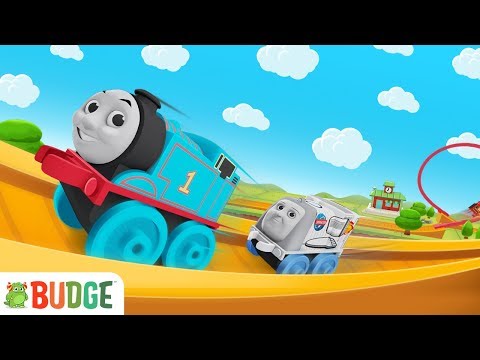 ▶
Watch: Thomas & Friends Minis - with Augmented Reality! (Budge Studios)
The second video is also official, from Budge Studios, and it is the one to watch before you build anything serious: a step-by-step how-to for building a full world, the Enchanted Valley, showing how the track pieces snap together, how the stunts work and how a finished set looks when you ride it. Click the picture to watch on YouTube.
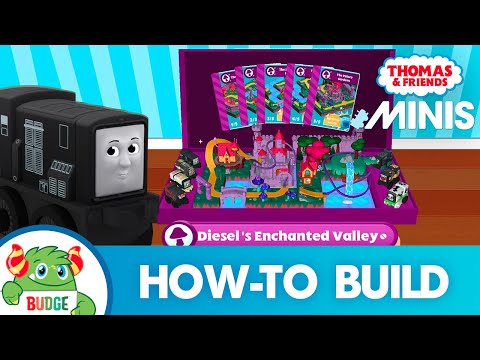 ▶
Watch: How-To Build The Enchanted Valley | Thomas & Friends MINIS (Budge Studios)
Strategy 1: Start with a pre-made set, not a blank canvas
The app opens with a short tutorial that walks through the building tools, and then gives you a choice: build from scratch or start from one of the pre-made sets. Start from a pre-made set. The reviewers who know the app best all say the same thing — the pre-made sets work like a puzzle to complete, so you learn how tracks connect, where decorations go and how a loop closes, without staring at an empty board. Thomas' Countryside is the first world and the friendliest place to learn: flat ground, simple stations and the classic engines. Build on it, ride it, change one thing at a time, and only start a blank world once you have finished a pre-made set and know what a working loop looks like.
Strategy 2: Build the loop first, decorate second
The mistake every new player makes is decorating first. A track that does not close is just a pile of pretty pieces, and a train that reaches a dead end stops dead. So build the loop before anything else: lay the track in a closed circuit, test it with a ride, and only then add the trees, buildings, tunnels and bridges. The App Store listing promises whirly waterslides, frozen loops and rainbow bridges, and they all work — but only if the track underneath them connects cleanly on both sides. One player review gives the tip the in-game instructions miss: if a tunnel will not face the right way, lay plain track pieces across the spot first, then drag the tunnel over them — it flips to match the track underneath. Test every stunt piece with a ride before you decorate around it, because moving a decorated hill is much more annoying than moving a bare track.
Strategy 3: Treat the worlds as the progression — and expect the paywall
There is no level system in this game, so the worlds are the progression. The free download gives you Thomas' Countryside and a starter set of engines and pieces; the other worlds — Gordon's Winter Wonderland, Percy's Spooky Forest, Spencer's Aqua Park, Emily's Coaster City, Toby's Busy City and James' Jurassic Cove, among others — are unlocked with golden gears earned in play or bought as in-app purchases. This is the part parents need to know before handing the iPad over: player reviews are blunt about it, with several saying unlocking everything costs over $70, and that the locked worlds sit right in the main navigation where a child can see them and ask for them. Our Dinsun critic's verdict was "wait for a sale" on the bundles, and that is the honest advice here too — play the free world properly first, let your child finish a few tracks there, and only buy a world when they have genuinely run out of things to build, not the first time they tap a locked icon.
Strategy 4: Collect engines slowly — paint and accessories are free fun
There are hundreds of Minis engines to collect, from the classics — Thomas, Percy, Gordon, James — to themed ones like the shark, the robot and the prehistoric dinosaur Minis, and they are unlocked by playing and by collecting golden gears. Do not chase them all at once. The cheaper fun is in customising the engines you already have: the app lets you repaint them and add accessories and liveries, which costs nothing and keeps a child busy for an afternoon. Swap engines between rides, too — a heavy engine and a light one feel different on the same track, and the themed Minis are mostly about looks, not speed, so pick the one your child likes rather than the one that sounds fastest. If a new engine appears locked, check whether it is a golden-gear unlock you can earn by playing before you reach for a purchase.
Strategy 5: Use Race mode as the reward, not the main game
Race mode is the second mode, and it is exactly what it sounds like: pick an engine, tune its speed, and race it against rival Minis or a friend, using boost items like the Jet Engine to get ahead on tracks full of twists, turns and stunts. It is fun, but it is short — a drag race on a track you built yourself — and it is not where the game lives. Use it as the reward at the end of a building session: build a track, ride it once in third person to check it works, then race it. Tuning the speed matters more than picking the flashiest engine, and the Jet Engine boost is best saved for the straight after a big loop, not fired at the start line. If your child only wants to race, build them a simple oval with one big stunt in it and let them race that while you build the next world.
Walkthrough 1: Your first session — tutorial and Thomas' Countryside
Open the app and follow the short tutorial — it demonstrates every building tool, so do not skip it, even if your child is impatient to build. When it ends, you will be in Thomas' Countryside, the first world: windmills, train stations and workshops on the green hills of Sodor. Pick the pre-made set the app offers and finish it first, snapping the track pieces together until the loop closes. Then tap to ride it in third person, from behind the engine, and watch the train run the whole circuit. If it stops somewhere, that is where a piece is not connected — go back, check the join, and ride again. End the first session by saving the set, so it is there tomorrow, and let your child pick their first engine: Thomas is the obvious one, and there is nothing wrong with the obvious one.
Walkthrough 2: Building your first track from scratch
Start a blank set in the same world. Drag track pieces onto the board and connect them one at a time — the pieces snap together, so if one will not join, it is the wrong shape for that spot, not a bug. Build a simple closed loop first, then add one stunt: a ramp, a bridge or a loop, and ride it to check it works before adding a second. Then decorate: place a station, a few trees and a building or two, and paint a patch of terrain — the app lets you paint sandy beaches, bubbling lava and snowy blizzards onto the ground, which is a quick way to make a plain loop look like a place. Save the set, then ride it again from the engine's point of view. If the frame rate dips on an older iPad when the track gets busy, that is a known quirk our critic noted — simplify the decorations rather than the track, because the track is the game.
Walkthrough 3: Unlocking the next worlds
When the first world feels finished — a few saved sets, a few engines collected — look at the next worlds. Gordon's Winter Wonderland adds frozen bridges and ice walls to crash through, Percy's Spooky Forest has the hollow log tunnel and the haunted mansion, Spencer's Aqua Park has the whirlpool tunnel and the waterslide loop, and Emily's Coaster City is a rollercoaster fairground. Each world comes with its own track pieces, decorations and engines, so a new world is not just a new background — it is new things to build with. Earn golden gears by playing and by finishing sets, and spend them on the world your child actually wants, not the one that looks shiniest in the shop. And remember the warning from the parent reviews: the shop is always visible, so agree with your child before the session which world, if any, you are buying today, and turn off in-app purchases in the device settings if you would rather not have the conversation every time.
Walkthrough 4: Riding in third person and trying AR
Once a track works, ride it. The third-person ride is the payoff for all the building: the camera sits behind the engine and you watch your own track unfold, through tunnels, over bridges and into the interactive scenes you placed. Try the same track from the bird's-eye view too, which is better for spotting a piece that is out of place. If your device supports it, try the augmented reality mode shown in the first video above: the app projects your track onto the real room, so the train runs across the coffee table. It works best on a clear, flat surface with good light, and on a smaller track — shrink the play space down first, because a big track in AR is hard to see all at once. AR is a treat, not a daily mode, and it is the one feature that makes the game feel like a real train set sitting on the floor.
Walkthrough 5: Racing — tuning, boosting and beating your own track
Switch to Race mode when the building is done for the day. Pick an engine, then tune its speed before the race starts — the tuning matters, and a slower, steadier setup often beats a maxed-out one on a twisty track. Race against the rival Minis first to learn the track, then challenge a friend if you want the two-player feel. Use the Jet Engine boost on the long straight after the biggest stunt, not at the start, and watch for the stunts button mid-race, which lets you flip, twist and barrel roll for extra speed. After the race, go back to Build & Play and change one thing about the track — a sharper turn, a bigger loop — then race it again. That loop, build then race then rebuild, is the whole game once the first world is finished, and it is why the app lasts longer than a single afternoon.
Stuck? A short checklist before you look anything up
First, if the train stops mid-track, a piece is not connected — go back to the bird's-eye view and check every join, especially around tunnels and bridges, and remember the player-review tip: lay plain track first, then drag the tunnel over it so it flips to match. Second, if a world or engine is locked, check whether it is a golden-gear unlock you can earn by playing before buying anything — and if the shop keeps popping up, turn off in-app purchases in the device settings. Third, if the app stutters or the board looks shifted and only partly visible, close the app fully and reopen it: player reviews report this bug, and a restart usually clears it, but if it keeps happening, update to the latest version or contact Budge Studios support at support@budgestudios.ca. Fourth, if your child is bored, do not buy a new world yet — give them a building challenge instead, like a track with three stunts in a row, or a race on a track they designed themselves. And if a written step is hard to picture, jump to the matching part of the two official Budge Studios videos above — the AR video shows what a finished track looks like in play, and the Enchanted Valley how-to shows the building step by step.
Have you built a track in this game, or does your child have a favourite Minis engine? Tell us in the comments — and if you want the next walkthrough, tell us which game from our iOS list you want covered next.