
Star Trek Timelines is a free-to-play science-fiction strategy RPG that throws the whole of Star Trek into one timeline. A temporal anomaly — the Temporal Crisis — has pulled people, ships and events from every era into a single jumbled galaxy, so Captain Kirk, Jean-Luc Picard, Benjamin Sisko, Kathryn Janeway, Jonathan Archer and characters from Discovery, Picard, Lower Decks and Strange New Worlds can all serve on your crew, alongside Mirror Universe versions of the same people. You are the captain: you recruit that crew, send them on away missions, fight ship battles, run long voyages into deep space, and compete in weekly events. It launched in January 2016, passed ten years of continuous operation in January 2026, and is still updated — version 12.2.3 arrived in November 2026.
This guide teaches the whole game in order, phase by phase, because there are no levels to walk through one by one. Where a step comes from the App Store listing, a player guide or player reviews, I say so. Where sources disagree, I say that too, instead of picking one version and pretending the other does not exist. Our Dinsun critic scored Star Trek Timelines 58 out of 100 and called it "a fanservice-heavy hero collector burdened by predictable mobile monetization loops", praising the character roster most (character 8 out of 10) while marking down gameplay, fun and mechanics (5 each) for shallow, automated combat and heavy gacha pacing. My own verdict is below, and it is not the same as Dinsun's.
Quick Facts
Developer: Tilting Point Media (originally developed by Disruptor Beam) | Price: Free, with in-app purchases | App Store rating: 4.5 out of 5 (about 7,500 ratings in the US) | Size: about 193 MB | Requires iOS 15.0 or later | Age rating: 13+ on the live App Store page (the iTunes lookup still says 12+, so the live page wins) | Always online — a live-service game, so you need an internet connection | Playtime: 50+ hours, open-ended, per our Dinsun critic file. In-app purchases on the App Store page: Monthly Card $3.99, Dilithium packs $4.99–$99.99, rank offers $4.99–$49.99. Google Play lists the game as containing ads, and the App Store privacy section notes third-party advertising data; player reviews also complain about frequent pop-up offers.
Get Star Trek Timelines on the App Store
This is an unofficial fan guide and is not affiliated with Tilting Point Media, CBS or Paramount. Steps were checked against the App Store listing, the Gamezebo tips guide, the Star Trek Timelines fan wiki knowledge map, the game's own update notes and player reviews on Steam and Google Play. The game changes with updates, so treat this as a working route through the game, not gospel.
Watch the game first
If you have never seen the game, this is the official 10th anniversary video from the Star Trek Timelines channel. It shows the crew collection, the fleet battles and the scale of the roster after a decade, with no spoilers for the story episodes. Click the picture to watch on YouTube.
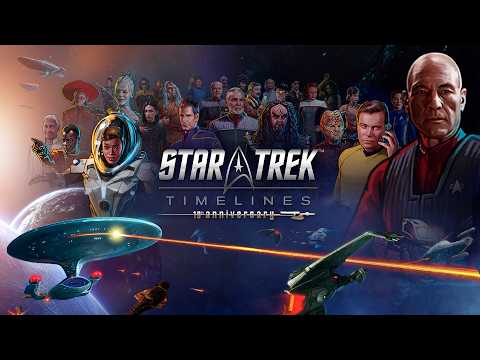 ▶
Watch: Star Trek Timelines | Celebrating 10 Years of Your Starfleet Legacy (Star Trek Timelines)
For a look at a real system in action, this second video is the official channel's walkthrough of Continuum, the endgame mode added in the 10.0.0 update, where fully maxed-out crew run special missions to earn the Quipment buffs explained in Walkthrough 5 below. Click the picture to watch on YouTube.
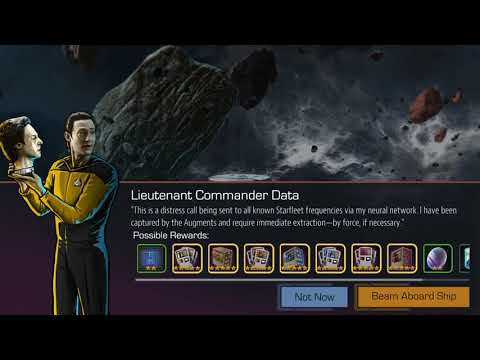 ▶
Watch: Continuum Walkthrough - 10.0.0 Update - Star Trek Timelines (Star Trek Timelines)
One warning about videos: there is no single complete beginner video walkthrough of this game on the official channel, so the two videos above are a showcase and a system guide rather than a start-to-finish playthrough. Do not confuse this game with Star Trek Fleet Command or Star Trek Legends — different games from different publishers, and the second one was shut down, which some recent Steam reviewers mention when warning about the publisher.
Strategy 1: Collect wide, not deep
The single most important rule in Star Trek Timelines: a broad crew beats a maxed-out one. Every away mission tests a mix of the six skills — Command, Diplomacy, Engineering, Medicine, Science and Security — and each crew member has only one to three of them, so even your strongest character can only cover part of a mission. Traits matter just as much: a Vulcan, a Doctor, a Pilot or a Mirror Universe character can open bonus paths or tip a skill check. So in your first weeks, keep every crew member you pull, even the one-star commons, and level a spread of skills rather than pouring everything into your favourite captain. Duplicates of the same crew can be fused into a stronger version of the next higher rarity, and spare one-stars can be dismissed for Honor — but only dismiss duplicates, never your only copy of a character.
Strategy 2: Spend Chronitons and Honor like they are real money
Chronitons are the energy you spend on away missions and ship battles, and they refill over time — they are the real gate on how much you can play in a session, so do not waste them replaying missions you have already three-starred. Honor is the long-term currency: you earn it by dismissing unneeded crew and from voyages, and it buys the most valuable things in the game, including citations (rare items that stand in for a duplicate crew member when fusing) and legendary crew. Save your Honor for citations on crew you actually use. Dilithium is the premium currency — it buys packs, refills and special offers — and the game will offer you many ways to spend it; the free route is to earn it slowly from daily play and events and spend it only on the Time Portal's premium pulls, not on refills. Credits are the everyday currency for training and equipment, and you will always want more of them.
Strategy 3: Do not chase three stars on your first pass
Each away mission awards up to three stars, and the only way to earn all three is to replay it until you have collected every possible rare reward — nodes marked with a star pay rare rewards on a critical success, and earning enough total stars unlocks higher difficulty tiers (Normal, Elite and Epic) of the same episode, with harder challenges and better rewards. That replay loop is where the game turns into a grind, and player reviews call it out as the most tiresome part of the game. So play each mission once to move the story forward, come back later with a stronger crew to sweep up the stars, and treat the higher difficulties as a later project, not a day-one goal.
Strategy 4: Treat events as the weekly rhythm, not the main game
Events are time-limited competitions that run most weeks and are the main way to earn new featured crew. The three classic types are Faction events (send crew on shuttle missions, where matching traits matters a lot), Skirmish events (built around ship battles) and Galaxy events (build and craft items to complete missions), with voyage-based and hybrid events added since. Each event has bonus crew who earn extra points, a leaderboard, and threshold rewards you reach by playing steadily. Aim for the thresholds, not the top of the leaderboard: the headline crew goes to the top-ranked players, and competing for those spots is where the spending pressure is strongest. The seasonal shop works the same way — the current season (Explore & Conquer Season 5, live since 10 November 2026) hands out Conquest Tokens through voyages, the Gauntlet and events, which you spend on the rewards you want. Seasons rotate, so do not hoard tokens for a season that is about to end.
Strategy 5: Play free, but expect it to be slow — and ignore the pop-ups
Be honest with yourself about the deal. This is a game you can play for free for years — Steam reviewers say exactly that, and the App Store rating of 4.5 out of 5 in the US reflects a lot of happy free players — but progression slows down hard after the first 20 hours or so, and the game pushes offers constantly. Google Play lists it as containing ads, and players complain about frequent pop-up offers and a dated mobile interface. The Google Play rating tells the other side of the story: 3.5 out of 5 from about 84,000 ratings, well below the iOS rating. So set the expectation now: short daily sessions, free pulls and daily missions, no impulse buys. If a pop-up offer appears, close it. The game is designed to make spending feel normal; the free game underneath is still there if you ignore the shop.
Walkthrough 1: Your first session — the tutorial, your first missions, your first pulls
Download the game (about 193 MB, iOS 15 or later) and open it with an internet connection. Q — voiced by John de Lancie, as in the show — explains the Temporal Crisis and hands you your first starship command. Follow the tutorial missions: they teach the two mission types. In an away mission you pick three crew members, then work through a branching decision tree of challenge nodes; the tree shows you in advance which skills each step needs, and you can usually choose between two or three skills to advance, except on the first and final steps. Pick the crew member whose skill number is highest for each node, and watch for the traits the mission suggests — a matching trait turns green on the crew pick screen and adds bonus points that can decide a close check. In a ship battle your ship flies and fires automatically; your job is to tap the crew ability icons at the bottom of the screen when they light up orange, then wait for them to refill in blue. Your goal is to destroy the enemy ship — shields first, then hull. After the tutorial, open the Time Portal: basic pulls cost credits, premium pulls cost Dilithium and give a better chance at rarer crew. The older Gamezebo guide recommends saving credits for a 10-pull rather than spending them one at a time, because a 10-pull almost guarantees a crew drop — that advice is from 2016, so treat the exact numbers as dated, but the principle (save, then pull in bulk) still holds. Finish your first daily missions before you log off: they pay merits and credits for very little effort.
Walkthrough 2: Episodes, away missions and the faction choice
The story is told in episodes, each a chain of away missions and ship battles that plays like an episode of Star Trek, with distress calls as side stories. Work through them in order. On each away mission, read the decision tree before you pick your team: the tree shows every skill the mission will test, in order, and the nodes with a star beneath them pay rare rewards if you score a critical success. Match crew to nodes by their highest skill, use traits to cover the gaps, and remember that failing one challenge does not end the mission — it makes the later steps harder, and only failing the final step fails the mission outright. Ship battles are simpler: seat crew in your battle stations before you launch (each crew member has a ship skill that boosts damage, accuracy or evasion), then time your ability taps in the fight; winning quickly earns three stars. At the end of each episode you choose which faction wins the dispute at the heart of the story, and you receive a crew member from that faction as a reward — check the faction reward before you start the episode and steer your dialogue choices toward the faction whose crew you want. Favour with a faction also opens its homeworld and Faction Center, where you can buy equipment and ship schematics with credits, merits or Dilithium.
Walkthrough 3: Building your crew — levelling, equipment, fusion and immortalising
Crew earn experience by taking part in missions, as away-team members or manning a battle station, and you can add more with the Train button on a crew member's profile, using experience boosts earned from faction missions. When a crew member hits their level cap, you raise it by filling all four equipment slots: each piece of gear raises a skill or a ship ability on its own, but only a complete set unlocks the next level band. If you need a specific item, tap its picture and use Build (to craft it) or Get (to see which missions drop it) — away missions are the main source of equipment. Fusion is the second track: combine duplicate copies of a crew member to raise their star rank (two one-star copies make a two-star), or spend a citation instead of a duplicate. A crew member at maximum level, fully equipped and fully fused is called "immortalised" — that is the long-term goal for your best crew, and it also unlocks Continuum missions (see Walkthrough 5). You will eventually run out of active crew space: freeze fully upgraded crew into cryo storage to keep them for collections and some game modes, or dismiss spares for Honor. Collections group crew by theme — a ship's crew, a type of character — and owning or immortalising enough of a set pays milestone rewards and permanent stat bonuses, so even low-rarity crew have a purpose.
Walkthrough 4: Ships, the Arena and the Gauntlet
Ships are the combat half of the game. You earn new ones by collecting schematics — powerful ships need hundreds, so treat a new ship as a long-term goal, not a quick unlock. Each ship has attack, evasion, accuracy, hull and shield stats, plus battle stations where you seat crew; their ship abilities fire during combat, so a good battle-station lineup matters more than the ship alone. In the Arena you fight other players' ship setups, grouped into divisions by ship rarity, for rewards and ranking — pick the strongest ship and crew combination you have, not the one with your favourite name. The Gauntlet is the other competitive mode: your crew face other players' crew in skill contests, with two skills chosen at random each round and results drawn from each crew member's proficiency range, so luck is real but crew with high minimum and maximum rolls in the featured skills win far more often. Crew get fatigued after Gauntlet rounds, and the featured skills change, so you need a deep roster rather than two or three stars. Wins raise your rank inside a timed bracket and earn merits, which are spent in their own store. A practical rule for both modes: never send a crew member into the Gauntlet or the Arena who is still needed for an away mission or a faction mission you are running.
Walkthrough 5: The long game — voyages, events, fleets and Continuum
Once your crew and ships are in shape, the daily loop opens up. Voyages are the long-duration mode: you send a whole crew and a ship into deep space for hours. Each voyage has a primary and a secondary skill — fill the skill-tied crew slots with crew who are strong in those skills, then pick a ship whose antimatter (the voyage fuel) and trait matches stretch the voyage further. Dilemmas pause the voyage and ask you to make story choices, which can pay items or even new crew; when the antimatter runs out, recall the ship to collect Honor, chronitons and equipment. Send voyages out before you log off, and send faction missions the same way: you choose up to five crew, they are tied up for hours in real time, and they come back with faction friendliness, XP boosts and equipment. Join a fleet — the game's social layer — and contribute to daily goals and donations that build the shared Starbase, whose rooms unlock passive bonuses such as faster shuttles, better event rewards and improved stats; smaller Squadrons inside a fleet coordinate event runs. And when you have your first immortalised crew, Continuum opens: those crew run Continuum Missions to earn QP, which unlocks slots for Quipments — temporary, powerful buffs crafted from components earned in Continuum Missions, usable in Continuum, voyages, events and the Gauntlet. Even a failed Continuum mission pays 5 QP, so it is worth trying early. Between all of that, keep the daily loop ticking: daily missions, the login calendar (which periodically hands out crew), the scanner (a few free searches a day for faction mission transmissions or equipment) and the current event's thresholds.
Stuck? A short checklist before you look anything up
First, check your connection: this is an always-online live-service game, so missions, pulls and events will not load offline. Second, if you keep failing an away mission node, check the decision tree again — you may be sending a crew member whose skill is high but whose proficiency range is wide, so the roll can still miss; swap in a crew member with a higher minimum roll, or one with a matching trait. Third, if a crew member has stopped levelling, check their equipment slots: an empty slot is almost always the reason, and the Get button on the missing item tells you which mission drops it. Fourth, if you are out of Chronitons, do not buy a refill with Dilithium — run a voyage or a faction mission instead, do your daily missions, and come back when the energy has refilled. Fifth, if an event feels impossible, check whether you have the bonus crew: events are balanced around them, and without them you are climbing the leaderboard with a handicap. And if a step above does not match what you see, check the two videos — the official channel's Continuum walkthrough shows the endgame systems as they actually look.
My verdict, not Dinsun's: Dinsun scored this 58 out of 100 and said skip unless you are a hard-core Trek fan. I agree with the direction, but not the harshness. The fan service is real and it is the reason to play: hundreds of characters from every era, voiced by the actors where it counts, in stories that feel like episodes of the shows, and the collection systems — away missions, voyages, the Gauntlet, fleets — are genuinely playable for free if you are patient. But Dinsun is right about the price of that patience: the combat is mostly automated, the star-chasing replay loop is a grind, the events reward spending, and the pop-up offers never stop. So download it free if you love Star Trek and you like collecting things in short daily sessions — and skip it if you want deep tactics, a story that ends, or a game that never asks for your wallet. Play it for two weeks free, and let the daily loop decide for you.
Have you immortalised your first crew member, or are you stuck on an episode, a voyage or an event? Tell us in the comments — and if you want the next walkthrough, tell us which game from our iOS list you want covered next.