
Solitaire.com: Classic Cards is a free Klondike Solitaire app from Tripledot Studios, the London-based studio behind the Solitaire.com card portal. It is a no-frills take on the world's most popular card game: one standard deck, seven columns, four foundation piles, and nothing standing between you and the cards. You get Draw 1 and Draw 3 modes, daily challenges, a winnable-deck option for when you want a deal that can actually be solved, Vegas scoring for a riskier game, unlimited hints and undo, and full offline play. It is free to download and supported by ads, and it has been downloaded more than 55 million times. Our Dinsun critic scored it 55 out of 100 and called it a "Skip" — not because it plays badly, but because it does nothing the established Solitaire apps do not already do better. It is, in Dinsun's words, faster than the MobilityWare version because it has fewer bells and whistles, but the interface feels cheap and the presentation is generic. If you want a fast, light, plain game of Solitaire with no learning curve, this is exactly that — and this guide will help you win more of the deals it gives you.
This guide walks through the game in order, phase by phase. A note on honesty first: Solitaire.com: Classic Cards has no levels, no story and no fixed sequence of puzzles to solve — every deal is a fresh shuffle of the same 52 cards, so there is no list of per-level solutions to memorise and none is invented here. Instead, this guide teaches the rules and the systems the app is built on — the deal, the scoring, Draw 1 versus Draw 3, the daily challenges and the winnable decks — using the App Store listing, the developer's own description, the AppiReview review of the app and the standard Klondike rules guides, which agree on how the game works. The numbers in the scoring section come from AppiReview's review; the win-rate figure comes from PlaySolitaireGaming's Klondike guide. Where a tip applies to Klondike in general rather than to this app specifically, it says so.
Quick Facts
Developer: Tripledot Studios Limited | Price: Free, ad-supported; plays fully offline | App Store rating: 4.5 out of 5 (about 63,000 ratings in Canada; 4.7 out of 5 from about 900,000 ratings in the US) | Size: about 269 MB | Requires iOS 15.0 or later | Age rating: 4+ | Version 4.65.00, updated October 15, 2026 | Playtime: one game takes 5–15 minutes; endless, with a new deal every time.
Get Solitaire.com: Classic Cards on the App Store
This is an unofficial fan guide and is not affiliated with Tripledot Studios. How the game works comes from the App Store listing, the developer's description and independent reviews, which agree with each other; the phases below describe the rules and systems the game runs on, not a fixed solution for each deal, because every deal is shuffled and no two games play out the same way. The game changes with updates, so treat this as a working route through the game, not gospel.
Watch the game first
No official trailer or gameplay video for this exact app could be found, so both videos below are general Klondike Solitaire videos — the first shows a full game of Klondike being played on a phone, and the second shows a Hard Klondike deal solved from start to finish. The rules, the layout and the moves are the same as in Solitaire.com: Classic Cards, so watch them to see the game in motion before you read the strategy. Click the picture to watch on YouTube.
 ▶
Watch: Classic Klondike Solitaire gameplay (andro-games)
The second video is a full solved game: a Hard Klondike deal in Microsoft Solitaire, played from the first move to the fireworks ending. It is not this app, but it is the clearest demonstration of the habits this guide teaches — flip the hidden cards first, keep the columns balanced, and never empty a column without a King ready. Click the picture to watch on YouTube.
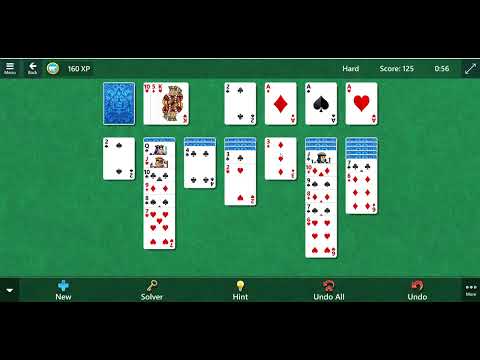 ▶
Watch: Microsoft Solitaire, Hard Klondike solved (katcan)
Strategy 1: Know the scoring before you chase it
Solitaire.com: Classic Cards offers two scoring systems, and they reward different kinds of play. In Standard scoring, which is the default, you start at zero and earn points for good moves: 5 points for moving a card to the tableau, 5 points for flipping a face-down card over, and 10 points for moving a card to a foundation pile — while undoing a move costs you 2 points and passing through the stock pile after the set limit costs you too. In Vegas scoring, you pay 52 virtual chips up front, like a buy-in, and earn 5 chips back for every card you get onto a foundation pile — so you need to finish well to come out ahead. These numbers come from AppiReview's review of the app. The practical advice is simple: learn the game on Standard scoring, where every good habit is rewarded and mistakes cost almost nothing, and only switch to Vegas scoring once you are winning regularly. Vegas scoring punishes sloppy play twice over — once in the game, once in your chip balance.
Strategy 2: Turn the face-down cards first — always
The 21 face-down cards in the tableau are the whole puzzle. Every card you need and cannot find is hiding under one of them, and the stock pile only ever shows you the same 24 cards in turn. So the best move on the table is almost always the one that flips a new card face-up, and the standard Klondike guides agree on this above all else. When two moves would each reveal a card, take the one from the longer column — the right-hand columns hide the most cards, six under the last one, and a column you leave until late is a column whose cards you cannot use for most of the game. A move that only shifts a run from one column to another without revealing anything is worth making only when it frees a card you can play next. Moving cards for the sake of it is the single most common beginner mistake.
Strategy 3: Aces and 2s go up immediately — middle cards stay down
Two rules that pull in opposite directions, and both matter. First, always play Aces and 2s to the foundations the moment they appear — they can never be useful in the tableau, and getting them out of the way opens the columns beneath them. Second, do not rush higher cards to the foundations. A 6 sitting on a foundation cannot hold a red 5 for you any more, so while you still need a card as a building spot in the tableau, keep it there. Build the foundations evenly, suit by suit, and only send a card up when you are sure you will not need it to hold a run. This tension — send the low cards up, hold the middle cards back — is where most Solitaire games are won or lost, and it is the habit that separates a 25% win rate from a losing one. About 80% of Klondike deals are theoretically winnable, but skilled players win only 25–30% of them in practice, according to PlaySolitaireGaming's Klondike guide — so even a lost deal is not always a mistake.
Strategy 4: Draw 1 to learn, Draw 3 to test yourself
The app offers two draw modes, and they are genuinely different games. In Draw 1, you flip one card from the stock at a time, so every card becomes available on each pass through the pile — it is the forgiving mode, and the right place to learn the habits in this guide. In Draw 3, you flip three cards at once but can only play the top one, so the cards underneath stay locked until the order changes — it demands deeper forward planning, because the order of the stock matters and sometimes it is better not to play a card, to keep a favourable draw order for the next pass. Start on Draw 1 until you are winning regularly, then switch to Draw 3 when you want the game to fight back. One warning for Draw 3: look at the tableau before you touch the stock. Play the moves already on the table first, because every card you draw is a card you may have to cycle through again.
Strategy 5: Practise on winnable decks, play offline to skip the ads
Two features of this app are worth using on purpose. First, the winnable-deck option: instead of a random shuffle, the app deals you a deck that can be solved, which turns a frustrating random loss into a puzzle with an answer — ideal for practising the habits above, because when you lose a winnable deck, you know it was a decision, not the shuffle. Second, offline play. The app is ad-supported, and player reports say an interstitial video ad appears after nearly every game, with banner ads across the top of the screen during play since 2026; playing offline, as the App Store listing promises the app allows, stops the ad servers from reaching you. That is also the honest answer to the app's biggest weakness: Dinsun's main complaints are the repetitive ads and the plain presentation, and offline play removes the first one entirely. Use the daily challenges too — a fresh deal every day, the same deal for every player, which makes them the one place in the app where you can compare your result with other people's.
Walkthrough 1: Your first deal — the setup, card by card
Tap New Game and the app deals Klondike's classic layout: seven columns across the table, the first holding 1 card, the second 2, and so on up to 7 in the seventh column. Only the top card of each column starts face-up, which means 28 cards sit in the tableau — 21 of them hidden — and the remaining 24 cards go face-down to the upper left as the stock pile. Above the tableau, four empty foundation piles wait, one per suit. Your goal is to move all 52 cards onto those foundations, each built up in its suit from Ace to King. There is no time limit and no turn limit, just you and the cards, and a game takes about 5–15 minutes.
Before your first move, read the whole table. Note which Aces and 2s are already showing, which columns have the most hidden cards, and whether a King is already sitting on top of a column. Then make the free moves first: send any visible Ace to its foundation, then any 2 whose Ace is already up. Only then start moving cards between columns — and when you do, move the card that uncovers a hidden card, not the card that looks tidiest.
Walkthrough 2: The opening — clear the table before you draw
The opening of every game follows the same order, and it is worth doing the same way every time. First, play every move that is already on the table: Aces and 2s to the foundations, and any card that can move onto a tableau column to uncover a hidden card underneath it. Second, when a column empties, do not fill it just because it is empty — an empty column is only useful if you have a King to put in it, and only Kings (or runs starting with a King) may go there. Third, only when the table has no more useful moves should you draw from the stock. This order matters because every card you draw and cannot play is a card buried in the waste pile, while every move on the table is a free card revealed. If the game stalls with no moves on the table and no playable card in the waste pile, do not panic — use the unlimited undo to walk back a few moves and try a different line. The app gives you unlimited hints and undo for exactly this reason, and using undo to learn is not cheating yourself; it is how you find the line that works.
Walkthrough 3: The middle game — building evenly and keeping your options open
Once the opening moves are done, the game settles into its middle phase: you are cycling the stock, building runs down in the tableau in alternating colours — a red 6 on a black 7, a black 5 on that red 6 — and feeding cards up to the foundations as they become safe to send. Three habits carry this phase. First, keep the columns balanced: avoid emptying a column unless you have a King ready to fill it, and when two Kings could fill a space, look at the Queens waiting to be played — pick the King whose colour lets the Queen move next. Second, build the foundations evenly: if one suit is two cards ahead of the others, hold its next card in the tableau a little longer, because you may need it as a landing spot. Third, keep the stock in mind in Draw 3: remember which cards are buried under the top waste card, and do not play a card just because you can — sometimes holding it keeps the draw order in your favour for the next pass. When you are stuck, tap the hint button and study what it suggests rather than just following it; the hint is teaching you the priority order — reveal a hidden card first, then a foundation move, then a tableau move.
Walkthrough 4: Draw 3 and Vegas scoring — the harder modes
When Draw 1 starts feeling easy, switch the mode in the settings and play Draw 3. The rules are identical, but the stock now deals three cards at a time and only the top card is playable, so a card you need can sit two deep in the waste pile while you cycle through the rest of the deck. The adjustment is mostly about patience: do not burn through the stock hoping for one card, because each pass reshuffles nothing — the order is fixed until you play something. Instead, work the tableau as far as it will go before each draw, and when you do draw, check whether the newly revealed top card unlocks a chain of moves before you draw again. Vegas scoring layers a second pressure on top: you have paid 52 chips to start, and every card that reaches a foundation earns 5 back, so you need at least 11 foundation cards just to break even. Play Vegas only on Draw 1 at first, and only once your Standard-scoring win rate feels solid — a lost Vegas game costs chips, and chips are the one thing in this app you cannot undo.
Walkthrough 5: Daily challenges and winnable decks — the structured play
If random deals start to feel aimless, the app has two structured modes. The daily challenge gives you a fresh deal every day — the same deal every other player gets that day — so it is the closest thing this app has to a level to beat, and the one place where your result means something against other people's. Play it first thing: it is one deal, one attempt, and it trains you to play carefully instead of redealing until the shuffle is kind. The winnable-deck option is the practice room: a deal the app guarantees can be solved, so a loss is always your own doing and always has a lesson in it. Use it when you are learning a habit from this guide — say, holding middle cards back from the foundations — and play the same kind of deal until the habit sticks. Between the two, you have a daily test and a training ground, and that is as close to a campaign as a game of Solitaire gets. Your player statistics track wins, streaks and best scores across all of it, so you can watch the win rate climb as the habits settle in.
Stuck? A short checklist before you look anything up
First, check the hidden cards: if you have a choice between two moves, take the one that flips a face-down card, and take it from the longest column. Second, check the foundations: if you are stuck, look for a card you sent up too early — a 5 or 6 on a foundation that you now need as a landing spot — and use undo to bring it back down. Third, check the empty column: if you emptied a column and have no King to fill it, undo that move; an empty column with no King is a wasted space. Fourth, check the stock: in Draw 3, remember that only the top waste card is playable, and sometimes not playing a card keeps the draw order in your favour. Fifth, check the mode: if random deals keep beating you, switch to a winnable deck for a few games and practise the habits there, or play the daily challenge and compare your result with the deal everyone else got. And if a written step is hard to picture, jump to the videos above — the second one shows a whole Hard Klondike deal solved from the first move to the fireworks, and it is the fastest way to see these habits working.
Have you finished a game of Solitaire.com: Classic Cards, or are you stuck on a deal that will not budge? Tell us in the comments — and if you want the next walkthrough, tell us which game from our iOS list you want covered next.