
Solitaire – Classic Card Games is Easybrain's take on Klondike Solitaire, the card game most of us first met on Windows 95. It is the classic single-player patience game: seven tableau columns, a stock pile to draw from, and four foundation piles to build from Ace to King by suit. It is free on iPhone and iPad, with optional in-app purchases, and it adds Daily Challenges, win-streak levels and Seasonal Events on top of the standard rules. There are no fixed levels to beat — every deal is a fresh shuffle — so this guide teaches the game in phases, from the first deal to the Daily Challenge, instead of pretending there is one fixed route through it.
This guide walks through the game in order, step by step. Where a tip comes from the App Store listing, I say so. Where it comes from the standard Klondike rules and published how-to-play guides, I say that too. Our Dinsun critic scored Solitaire 68 out of 100, praising the rock-solid touch controls and the faithful classic rules, with the warning being the ad-supported model and the paid subscription for premium features — fair points for a game you can also play with a $2 deck of physical cards.
Quick Facts
Developer: Easybrain Ltd | Price: Free, with in-app purchases | App Store rating: 4.6 out of 5 (about 260K ratings) | Size: about 248 MB | Requires iOS 15.0 or later | Age rating: 12+ | Playtime: endless — a single deal takes 5–10 minutes. The App Store listing highlights Daily Challenges with golden crowns and a monthly trophy, win-streak levels, Seasonal Events with collectible postcards, Draw 1 and Draw 3 modes, hints and undos, and a choice of backgrounds and card backs.
Get Solitaire – Classic Card Games on the App Store
This is an unofficial fan guide and is not affiliated with Easybrain. Rules and tips were checked against the App Store listing and published Klondike how-to-play guides (wikiHow, Arkadium and Playing Card Decks), which agree on the rules below. Because every deal is shuffled, no two games play out the same way — this guide teaches the decisions that win games, not a fixed sequence of moves. The game can change with updates, so treat this as a working route through the game, not gospel.
Watch the game first
If you have never played Klondike Solitaire, or you only remember it vaguely from a Windows computer, start with this short tutorial from wikiHow. It shows the setup, the tableau, the stock and the foundations, and the basic moves, in a few minutes. Click the picture to watch on YouTube.
 ▶
Watch: How to Play Solitaire (wikiHow)
This second video, from Arkadium, is another clear Klondike tutorial — it walks through the same rules with a different table layout, plus scoring and a few beginner tips. Use it if the first video left anything unclear. Both videos teach the general game of Klondike Solitaire, which is exactly the game Easybrain's app plays. Click the picture to watch on YouTube.
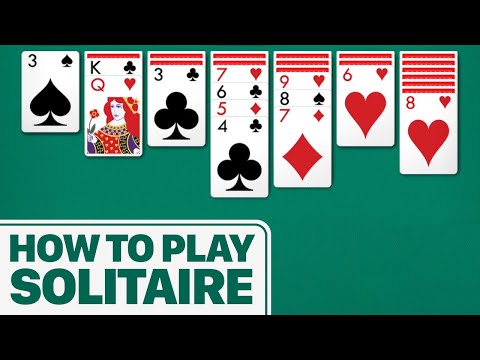 ▶
Watch: How To Play Solitaire (Arkadium)
Strategy 1: Move Aces and 2s to the foundations first — but not blindly
The first rule every published Klondike guide agrees on: whenever an Ace is free, move it to the foundations, and follow it with the 2 of the same suit as soon as you can. Low cards sitting in the tableau are doing nothing; on the foundations they clear the way for everything above them. One exception the guides flag: once you are past the early 2s and 3s, think before sending a card up. A 6 of hearts on a foundation might be the card you need to park a 5 of spades on in the tableau — and once it is on the foundation you cannot take it back. Early on, send low cards up freely. Later, ask whether the tableau still needs them.
Strategy 2: Uncovering face-down cards is the real goal
Klondike is won by information, not by speed. Every face-down card in the tableau is a card you cannot use, so the best move in most positions is the one that flips a new card face-up. That means preferring moves that empty a short column or free a buried card over moves that just shuffle face-up cards around. The columns with the most hidden cards — the long ones on the right — are the ones to clear first. If two moves look equal, take the one that turns over a face-down card.
Strategy 3: Do not empty a column unless you have a King ready
Only a King (or a sequence starting with a King) can be placed in an empty tableau column, and an empty column with no King to fill it is a wasted column. Before you move the last card out of a column, check that a King is free somewhere — in the tableau, in the waste pile, or about to come off the stock. If there is no King available, leave the column occupied until one turns up. A well-timed empty column is the strongest tool in the game; an empty column you cannot use is a hole in your board.
Strategy 4: Learn in Draw 1, then switch to Draw 3
Easybrain's app lets you play Draw 1 or Draw 3, and the App Store listing says so — Draw 1 flips one card at a time from the stock, Draw 3 flips three and only the top one is playable. Draw 1 is the learning mode: you see every card, games are much more winnable, and it is the right place to practise the strategies above. Draw 3 is the real game and noticeably harder, because two out of three stock cards are buried under the top one each time. Start on Draw 1 until you are winning regularly, then move to Draw 3 when you want a challenge. Your Daily Challenge and level progress count in either mode.
Strategy 5: Use hints and undo — that is what they are for
The App Store listing highlights hints and undos, and in a game where one wrong move can bury the card you need, they are worth using. If you are stuck, tap Hint before you start moving cards at random — it will show you a legal move you missed. If a move turns out badly, Undo takes it back instead of forcing you to restart the deal. There is no penalty for using them in the standard mode, so treat them as part of learning, not as cheating. The one habit to avoid is tapping Hint on every single move: you learn the patterns faster if you look for the move yourself first and only ask when you are genuinely stuck.
Walkthrough 1: The setup — what you are looking at
Every deal starts the same way. The app deals 28 cards into seven tableau columns: one card in the first column, two in the second, and so on up to seven in the seventh, with only the top card of each column face-up. The remaining 24 cards form the stock pile in the upper-left corner. The four foundation piles sit empty in the upper-right. Your goal is to move all 52 cards onto the foundations, built up by suit from Ace to King. In the tableau you build down in alternating colours — a red 6 goes on a black 7, a black Queen on a red King — and you can move whole face-up sequences together by dragging them. Tap or drag to move cards; the app supports both, according to the App Store listing. Before your first move, scan the seven face-up cards and note every Ace, every 2, and every King — that is your opening position.
Walkthrough 2: The opening — clear the low cards and flip new ones
Start by moving any free Aces to the foundations, then any 2s that can follow them. Next, look for tableau moves that flip a face-down card: for example, moving a red Queen onto a black King to uncover the card beneath her. Work through the tableau from left to right, making every move that turns a card over, and send newly freed Aces and 2s up as they appear. When no tableau move flips anything new, start drawing from the stock — one card at a time in Draw 1 — and play each stock card to the tableau or the foundations if it fits. If a stock card does not fit, it goes to the waste pile, and only the top waste card can be played. Cycle through the stock, keep flipping tableau cards, and keep the foundations fed. Most deals are decided in this phase: if you have flipped most of the face-down cards by the time the stock runs out, you are on track to win.
Walkthrough 3: The mid-game — building sequences and freeing columns
Once the low cards are up and the face-down cards are mostly flipped, the game becomes a sequencing puzzle. Build long alternating-colour runs in the tableau — black 10, red 9, black 8 — because a long run can be moved as one piece and parked on a King to free a whole column. Watch for the moment a column is down to its last face-up card: moving it frees the column, and if a King is waiting, you gain a fresh empty space to work with. Keep the foundations moving steadily, but remember Strategy 1 — hold back a mid-range card if the tableau still needs it as a landing spot. When the stock is nearly exhausted, stop and survey: count how many cards are still buried and which suits are behind on the foundations, because that tells you whether to push for the win or protect the cards you still need. If the stock runs out with cards still buried and no moves left, the deal is lost — tap New Game and try the next shuffle. Even strong players only win a fraction of Draw 3 deals, so a loss is normal, not a mistake.
Walkthrough 4: The endgame — finishing the foundations
When every face-down card is flipped and the tableau is mostly long sequences, the endgame begins. Now the foundations are the priority: send every card up as soon as it fits, because the tableau no longer needs landing spots. Move the longest sequences onto their Kings to collapse columns, and clear one suit's foundation at a time where you can. If the app offers an auto-complete or auto-solve once all cards are face-up — Easybrain's version, like most modern Solitaire apps, can finish a won game for you — let it run rather than dragging 30 cards one by one. When the last King lands on its foundation, the deal is won, and the app records the win toward your level and win streak. The App Store listing says higher levels mean more points per game, so a win also pushes your level up.
Walkthrough 5: Daily Challenges, levels and Seasonal Events
Outside the standard deal, the app has three things to work through, all listed on the App Store page. The Daily Challenge is a fixed deal, the same for everyone that day: complete it to earn a golden crown, and complete enough days in a month to collect a unique trophy. Daily Challenges are usually set to be winnable, so they are the best place to practise — play them on Draw 1 if you are still learning, and use the same opening from Walkthrough 2. Levels and win streaks come from the main mode: every consecutive win raises your level and your points per game, so a streak is worth protecting — if a deal looks unwinnable, it is better to start a fresh one than to burn hints chasing a lost cause. Seasonal Events are themed sets of deals at several difficulty levels: solve them to uncover and collect thematic postcards, and check back after updates so you do not miss one. None of these modes changes the rules — they are the same Klondike game with a goal attached — so everything in Walkthroughs 1 to 4 applies to them exactly.
Stuck? A short checklist before you look anything up
First, check the foundations: is there an Ace or a 2 you have not sent up yet? Second, check every face-up tableau card for a move that flips a face-down card — that move is almost always the right one. Third, check whether an empty column is waiting for a King you have not freed yet. Fourth, tap Hint: the app will point at a legal move you missed. Fifth, remember there are no fixed levels in Solitaire — if a deal has no moves left and the stock is gone, the deal is simply unwinnable, so start a new one instead of replaying the same shuffle. And if a written step is hard to picture, rewatch the two tutorial videos above — they show the same moves on a real table.
Have you finished a Daily Challenge, or are you stuck on a deal that looks unwinnable? Tell us in the comments — and if you want the next walkthrough, tell us which game from our iOS list you want covered next.