
Sharkolik – Music Trivia Game is a free music quiz for iPhone and iPad from developer Olga Bondaruk. You pick a genre — Rock, Pop, Rap, R&B, Country, Blues, Latin or Dance — or an artist's own list, hear a short song clip, and guess the song or the singer's name as fast as you can. The faster you answer, the more points you score, and fast correct answers earn you extra lives. It is a simple idea, and players rate it well: 4.66 stars from 261 ratings on the App Store. Our Dinsun critic was much less impressed, scoring it 38 out of 100 and calling it a dry, clinical quiz with repetitive questions and inconsistent audio — so go in with honest expectations. If you love music trivia and want a free game to test yourself against, it is worth a try, and this guide will help you get the most out of it.
This guide walks through the game in order, from your first round to challenging friends. Sharkolik has no fixed levels — every round draws fresh questions from a bank, and progression is about mastering genres and artist categories, not beating stages — so instead of per-level solutions, this guide teaches the systems in phases, and says so where a step comes from the App Store listing, from player reviews, or from general music-trivia practice. Where a tip comes from the game's own description, I say so. Where a number comes from the App Store listing, I say that too.
Quick Facts
Developer: Olga Bondaruk | Price: Free, ad-supported, no in-app purchases listed | App Store rating: 4.66 stars / 261 ratings (US) | Size: about 64 MB | Requires iOS 9.0 or later | Age rating: 12+ | Playtime: ongoing — each round is a self-contained quiz session. Version 2.8.3 (September 2018) is the current version.
Get Sharkolik - Music Trivia Game on the App Store
This is an unofficial fan guide and is not affiliated with Olga Bondaruk. The rules and mechanics below come from the App Store listing and player reviews, and the strategy tips come from general music-trivia practice, which I flag where they apply. The game has not had an app update since September 2018, so treat this as a working route through the game as it stands, not gospel.
Watch the game first
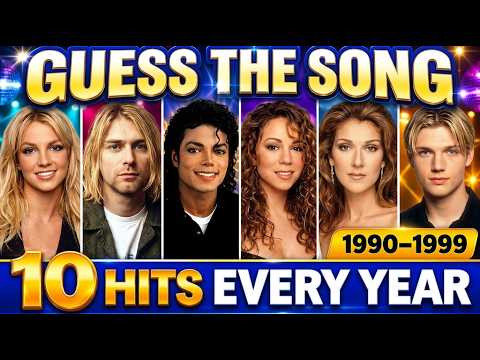
There is no official Sharkolik trailer and no gameplay video of this exact app on YouTube — it is a small, quiet game — so instead, here are two general "guess the song" quizzes that play exactly the way Sharkolik does: hear a short clip, name the song before the timer runs out. Use them as a warm-up for your ears before your first round. The first is a 100-song 90s quiz, ten hits from every year from 1990 to 1999. Click the picture to watch on YouTube.
 ▶
The second video is a 100-song quiz across artists and decades, from Nirvana to Rihanna. It is the same format — a clip plays, you guess before time runs out — and it is good practice for the mixed-genre rounds in Sharkolik, where the next clip can jump from one era to another. Click the picture to watch on YouTube.
 ▶
Strategy 1: Start with the genre you know best
Sharkolik lets you pick your category before each round — Rock, Pop, Rap, R&B, Country, Blues, Latin or Dance, per the App Store listing — so your first games should be in the genre you know cold. The game rewards speed as much as knowledge (see Strategy 2), and you can only answer fast when you recognise the song in the first second or two. Pick your strongest genre for your first few rounds, learn how the timer and the answer choices feel, and only then branch into genres where you are guessing. A round in your best genre with quick, confident answers will score far more than a round in a weak genre where you hesitate on every clip.
Strategy 2: Speed is the score — answer the moment you know it
The App Store listing states the game's central rule plainly: "the faster you reply the higher the score." A correct answer is not worth a fixed amount — the points shrink as the seconds tick away. That changes how you should play. The moment you recognise a song, tap the answer; do not wait to hear more of the clip to be sure. The general music-trivia habit behind this is the same one the videos above teach: guess from the intro, not the chorus. If you know it in the first two seconds, that is when the points are. If you do not know it after a few seconds, you are already losing points, so make your best guess and move on rather than burning the clock.
Strategy 3: Bank lives by answering fast — and play every day
You start each session with a set of lives, and the App Store listing says rapid answers earn you new lives — so speed does double duty: it raises your score and it keeps you alive longer. The listing also says playing every day starts you with more lives, so a short daily session is worth more than one long binge. The practical routine is simple: play a quick round every day to collect the extra starting lives, and inside each round, treat every fast correct answer as a life saved. Wrong answers cost you, so do not guess wildly on every question — but when you do know the answer, answer it instantly and bank the life.
Strategy 4: Master one artist at a time
Alongside the genre categories, Sharkolik has artist lists — quizzes built around one singer's songs, per the App Store listing — and player reviews report working through a favourite artist's category until they have "mastered" it. That is the game's real progression: there is no level ladder to climb, so pick one artist you love (Taylor Swift, Drake and Carrie Underwood are among the categories players mention) and play that list repeatedly until you know its songs by heart. You will start recognising clips in the first second, which is exactly what the speed scoring rewards. Only move to the next artist once the first one feels automatic. Jumping between artists keeps you a beginner everywhere; mastering one at a time builds the fast recognition that scores.
Strategy 5: Expect the quirks — and play around them
Sharkolik has rough edges, and knowing them in advance keeps them from ruining a round. First, the questions repeat: the Dinsun critic flagged repetitive questions, and player reviews agree, so treat repeats as free points — if a question comes back, you already know the answer. Second, some artist categories slip in spoken radio-commentary questions instead of song clips — players report this in the Taylor Swift category, where a question can ask about her explaining her songwriting rather than playing a song — so in artist rounds, listen for whether the clip is music or talking before you answer. Third, the game is ad-supported with no way to remove the ads, per a 2021 player review, so expect ads between rounds. And fourth, the app itself has not been updated since September 2018 — yet new songs still appear in the question bank (a November 2024 review mentions Drake's For All the Dogs), so the content is refreshed server-side even though the app is old. Do not expect new features or support; do expect the quiz itself to keep working.
Walkthrough 1: Your first game — pick a genre and play your first round
Open Sharkolik and pick a genre you know well — Pop or Rock are good first choices for most players, since the clips are the most familiar. The game plays a short song clip and offers you a choice of answers: guess the song title or the artist's name, against the clock. Listen to the first second or two, and the moment you recognise it, tap your answer — remember, the faster you reply, the higher the score. If you do not recognise the clip, make your best guess rather than letting the timer run out. After a few questions you will see your lives and your score; fast correct answers add lives, wrong answers cost you. Play until the round ends, then look at your score — that is your baseline. Your goal in the next rounds is to beat it by answering faster, not by knowing more songs.
Walkthrough 2: How scoring and lives work, step by step
Here is the loop to repeat in every round. First, the clip plays — listen for the first recognisable note, hook or voice, not the whole song. Second, answer immediately when you know it; every second you wait costs points. Third, watch your lives: a fast correct answer earns you an extra life, per the App Store listing, so a streak of quick answers stretches your round out. Fourth, if you are unsure, guess quickly anyway — a wrong answer costs a life, but a slow correct answer costs points and time you could spend on the next question. Fifth, when the round ends, check your score and your lives: if you ran out of lives early, you were guessing too slowly or too wildly; if you finished with lives to spare, you can afford to take a little more risk on the questions you half-know. Repeat the round in the same genre until your score stops climbing — that is the point where you have squeezed what speed can give you, and it is time to learn new songs instead.
Walkthrough 3: Daily play and daily themes
Sharkolik changes its themes daily, per player reviews, and playing every day starts you with more lives — so make it a short daily habit rather than a weekend binge. Open the app once a day, play one or two rounds in your strongest genre, and collect the extra starting lives. One frustration players report: there is no history of past daily themes or of songs you have already heard, so you cannot go back and review yesterday's theme. Work around that by keeping your own notes — if a daily theme stumps you (a genre you do not know, an artist you have never heard), jot down the artist or the song titles and listen to them once outside the game. The next time that theme comes around, those songs will be the ones you recognise in the first second.
Walkthrough 4: Mastering an artist category
Pick one artist list — say Taylor Swift, Drake or Carrie Underwood — and play it repeatedly. The first time through, you will miss plenty; that is normal, and the misses are the lesson. After each round, note the songs you missed and listen to them once on Apple Music or iTunes — the App Store listing notes you can listen via Apple Music/iTunes, and the app has an iMessage app for sharing song posters with friends. Play the same artist list again the next day: the clips you missed yesterday will be the ones you recognise instantly today, and instant recognition is what the speed scoring pays for. Keep going until you can clear the list quickly and confidently — players describe this as "mastering" an artist — then move to the next artist. One warning from player reviews: some artist questions are spoken commentary, not song clips, so if a question starts with talking instead of music, listen to the words before answering — it is testing what was said, not what was sung.
Walkthrough 5: Challenging friends and climbing the leaderboards
Once you have a genre or artist you can score well in, use the social features the App Store listing describes: challenge friends over Facebook, and check the Game Center leaderboards to see where your score sits. Be honest about what these are, though — the Dinsun critic found the social side weak, and the leaderboards are only as lively as the people playing, so do not expect a buzzing community. Treat a Facebook challenge as a friendly dare with one friend rather than a tournament: challenge someone in a genre you have mastered, compare scores, and rematch in a genre they have mastered. You can also share song posters through the Sharkolik iMessage app. And if you spot an album cover in a shop, the app has an AR feature (from the 2018 update, iOS 11.3 or later) that lets you point your camera at it to hear samples and see the video — a fun extra, not a way to score.
Stuck? A short checklist before you look anything up
First, check whether you are playing your strongest genre — if you are struggling, switch back to the one you know best and rebuild your speed there. Second, check whether you are waiting too long to answer: if you recognise a song, tap it at once, because the points fade with every second. Third, check your lives — if you keep running out, slow down just enough to stop guessing wildly, and play daily so you start with more lives. Fourth, if a question repeats, smile and take the free points; if an artist question turns out to be spoken commentary instead of a clip, listen to the words before answering. And if you are still stuck, re-watch the two general "guess the song" quizzes above: the 90s hits quiz for recognising songs from their intros, and the 100-song quiz for guessing across artists and decades.
Have you mastered an artist in Sharkolik, or are you stuck on a category that keeps tripping you up? Tell us in the comments — and if you want the next walkthrough, tell us which game from our iOS list you want covered next.