
Pixel Car Racer is a retro-style drag racer from STUDIO FURUKAWA, LLC that turns car culture into a role-playing game: you build a dream garage from more than 100 cars and over 1,000 parts, tune every gear ratio on a dyno, then take your creation to the strip and race it. It is free to download on iPhone and iPad, with in-app purchases for currency and parts, and it has been a cult favourite with car enthusiasts since it launched in 2016. The racing itself is a 2D drag strip — no steering through corners, no 3D track — but the depth is in the garage, and that is where this guide spends most of its time.
This guide walks through the game in order, from your first drag race to winning the Pro League tournament. Where a step comes from the game's own design, the App Store listing, or published guides that agree with each other, I say so. Where the community disagrees — especially on the "perfect" tune — I say that too, instead of pretending there is one fixed answer. Our Dinsun critic scored Pixel Car Racer 78 out of 100, calling it a love letter to car culture that proves you do not need 4K graphics to have a deep racing experience, and praising the tuning depth, the retro art and the huge car library — while warning that the racing is limited to drag and street, and the grind for parts can be slow.
Quick Facts
Developer: STUDIO FURUKAWA, LLC | Price: Free, with in-app purchases | App Store rating: 4.2 out of 5 (about 2,700 ratings) | Size: about 110 MB | Requires iOS 8.0 or later | Age rating: 4+ | Playtime: 50+ hours to build a top-tier garage | Current version: 1.1.80 (last updated August 1, 2019 on iOS — the Android and PC versions have received newer updates since).
Get Pixel Car Racer on the App Store
This is an unofficial fan guide and is not affiliated with STUDIO FURUKAWA, LLC. Strategy steps were checked against the Pixel Car Racer Wikia's "How to play" page, Touch Tap Play's tips guide, Pocket Gamer's fastest-car guide, CarThrottle's sub-six-second build guide and GamingRoute's tuning guide, which agree on the steps below. The game can change with updates, so treat this as a working route through the game, not gospel.
Watch the game first
If you have never seen the game, this is the official release trailer. It shows the pixel-art look, the garage, the drag strip and the tuning menus in under two minutes, with nothing spoiled. Click the picture to watch on YouTube.
 ▶
Watch: Pixel Car Racer — Release Trailer (Hach / Studio Furukawa)
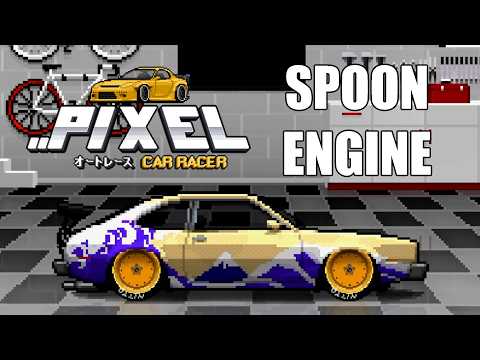
If you want to see the game actually played, this gameplay video shows real tournament racing and garage work, so you can see how launches, shifting and tuning look in practice before you read the steps below. Click the picture to watch on YouTube.
 ▶
Watch: Pixel Car Racer Gameplay — Tournaments & More (Nicolas Hale)
Strategy 1: Pick your difficulty for the cash, not for comfort
Pixel Car Racer has three difficulties, and they are really three pay scales. In Beginner mode your car is staged automatically, you only need to heat your tyres with a burnout, and the game shifts for you. In Amateur you shift yourself with the + and − buttons and launch with the clutch, and you earn 33% more cash per race. In Expert you also have to drive your car up to the starting line yourself before you can stage, and you earn 66% more cash. This is straight from the Pixel Car Racer Wikia, and it is the single most important choice in the game: the extra cash compounds into better parts, which win more races, which earn more cash. Start on Beginner for your first few races to learn the launch, then move to Amateur as soon as you can shift without thinking, and graduate to Expert once the clutch feels natural. Staying on Beginner because it is easy is the slowest way to build a garage.
Strategy 2: The launch wins the race before the race starts
Drag races in this game are short — a quarter mile is over in seconds — so the launch decides most of them. The Wikia's "How to play" page lays out the sequence: heat your tyres first (for a rear-wheel-drive car, hold the accelerator and do a burnout; for all-wheel drive, hold the clutch, rev, release, then press clutch and brake together), stage the car, hold the clutch and rev the engine while the lights count down, and release the clutch the instant the light goes green. Launch too early and you are disqualified — in a tournament that also costs you your entry bet. Launch too late and you are chasing a car that is already gone. The community guides agree on the fix: practise the launch in Freerun mode, where a loss costs you nothing, until the green-light release is muscle memory. One advanced trick from the Wikia: in Amateur or above, press the down-gear button to neutral while staging, hold the accelerator, and hit the up-gear button the instant the light goes green — the charged revs give you a boost off the line.
Strategy 3: Tune the gears before you buy the parts
Every tuning guide for this game says the same thing: gear ratios matter more than horsepower. The principle, from CarThrottle's and GamingRoute's guides, is to set your ratios so the rev needle stays inside your engine's power band on every shift — shift too early and the next gear pulls weakly, shift too late and you are bouncing off the limiter. Before you spend a dollar on parts, run your car on the in-game dyno, note your shift times, and adjust one gear at a time, writing down the old setting before you change it. Pocket Gamer's guide makes the same point from the other direction: there is no single "fastest car" in Pixel Car Racer, because any car can be tuned to be fast — the cars with high base stats are just a better starting point. A well-tuned cheap car beats a badly tuned expensive one, every time.
Strategy 4: Spend your first big money on the engine
When you do start buying parts, the engine comes first — it sets your horsepower and torque curve, and no amount of gear tuning saves a weak engine. The current community meta, from the 2026 tuning guides, rates the LT5 V8 as the best drag engine, with the V8 LS1 as the best all-rounder if you also race on the street. The classic endgame build, from CarThrottle's sub-six-second guide, is built around a Volkswagen Karmann Ghia with an F1X engine, a Reddy T6OE turbo, Demon 250 Shot nitrous, VX Titan pistons, an SF Type R +VX Flux ECU and a VX Open Intake — a build that costs around $22.7 million in-game, so treat it as a long-term goal, not a first purchase. Early on, buy the best engine your budget allows, then the turbo and intercooler that feed it, and only then worry about spoilers, tints and liveries — the cosmetic parts look great but do not win races.
Strategy 5: Respect the class system — and the jump-start rule
Tournaments match you against cars in your own class, so upgrading without a plan can push you into a harder bracket before you are ready. The Wikia lists three tournaments: the Light Cup for cars rated A to D (a $10,000 entry bet, $50,000 prize), the Semi Pro Kings for F to R1 ($40,000 bet, $200,000 prize) and the Pro League for R2 to X ($200,000 bet, $1,000,000 prize). Each is three heats — quarter-final, semi-final, final — all quarter-mile drag races with manual transmission, and your opponents are matched to your drivetrain type about 90% of the time. Two warnings from the Wikia are worth memorising: if you launch before the lights go green you are disqualified and you lose your bet, and some AI cars — Honda Civics and Mitsubishi Lancer Evos in particular — can outrun a player's car almost regardless of modifications, so a very light all-wheel-drive car is the usual answer to them. Never enter a tournament with money you cannot afford to lose.
Walkthrough 1: Your first car and your first drag race
Open the game and pick your starter car — the App Store listing promises more than 100 cars from Japanese, European and American manufacturers, but at the start you can only afford the cheap ones, and that is fine. Before your first race, go to Options and set up your controls, exactly as Touch Tap Play's guide recommends: choose your steering (the on-screen arrows are the simplest), your shifting (the + and − buttons are the most comfortable for most players) and your speed units (MPH or KMH, whichever you read naturally). Then go to Race, choose Drag, then Freerun, then Beginner, and press GO. This is the easiest race in the game and it is deliberately winnable — run it several times until the controls feel natural. Your car stages itself, you do a burnout to heat the tyres, the lights count down, and you press the accelerator on green. That is the whole loop. Win a few Freerun races and you will have your first few thousand dollars.
Walkthrough 2: Learn the launch properly
Once the controls are comfortable, stay in Freerun and practise the launch until it is automatic. In Beginner mode the sequence is: burnout to heat the tyres, wait for the "Get Ready" sign to disappear, watch the 2.5-second countdown, and press the accelerator the moment the light turns green. When that feels easy, switch the difficulty to Amateur in the race setup — now you shift with the + and − buttons and launch by holding the clutch, revving, and releasing on green. For a rear-wheel-drive car, heat the tyres by holding the accelerator; for an all-wheel-drive car, hold the clutch, rev, release it, then press clutch and brake together, and release both to roll back to the line. Expect to lose a few races while you learn — a bad launch in Amateur costs you the race, but Freerun races are free, so the only cost is pride. Move on when you can launch cleanly five races in a row.
Walkthrough 3: Spend your first winnings — parts shop and dyno
With a few thousand dollars banked, open the parts shop. Buy the best engine you can afford first (see Strategy 4), then go to the garage and equip it. Now open the dyno: run your car, note the times, and start adjusting the gear ratios one at a time — write down each setting before you change it, as the tuning guides insist, so you can always go back. A good first target from the community guides is to shorten first gear for a harder launch and lengthen the top gears so the car is still pulling at the finish line, but the exact numbers depend on your car and engine, so test rather than copy. Also buy tyres and brakes early — the guides list Nitto slicks and Trembo slotted brakes among the parts that actually change your times. Do not spend your early money on liveries or spoilers: they are the last thing to buy, not the first.
Walkthrough 4: Try Street mode and Cruise
Drag is only half the game. Street mode takes you to longer runs where acceleration, tuning and setup all matter, and Cruise mode lets you drive freely on a highway full of traffic. In Cruise, pull up beside another car and press the shift light in the centre of your dashboard to challenge it: a crown appears above the rival and a 25-second timer starts, and if you are ahead when the timer ends, you win the reward. Watch for the red exclamation mark on the right of the screen — it warns you a car is ahead in your lane, so change lanes before you reach it. At high speed the warning comes too late, so slow down rather than weaving. Cruise is the best place to practise street racing without an entry fee, and the winnings help fund your next engine.
Walkthrough 5: Enter your first tournament — the Light Cup
Once your car is tuned and you are winning Freerun races comfortably, open Tournaments and enter the Light Cup. It takes cars rated A to D, costs a $10,000 non-refundable bet, and pays $50,000 if you win all three heats. The transmission is locked to manual and every race is a quarter mile in daylight, so practise manual shifting in Freerun first if you have been racing on automatic. Win the quarter-final, then the semi-final, then the final — the AI cars are matched to your performance, so each heat is genuinely competitive. Remember the jump-start rule: launching before green disqualifies you and loses your bet, so be patient on the lights. If you lose, go back to Freerun, tune the gears a little more, and try again — the bet is the price of the lesson.
Walkthrough 6: Climb to the Semi Pro Kings
Keep upgrading your car — better engine, better turbo, better tyres — until its class rating reaches F, and the Semi Pro Kings tournament opens. The bet is $40,000 and the prize is $200,000, and the AI gets noticeably sharper: the Wikia notes that the opponents' cars are equal to yours in performance and skill, so winning here is about the launch and the shifts, not the parts. This is where gear-ratio tuning pays off — adjust your gearing so the car launches hard and tops out just as it crosses the quarter-mile line, as CarThrottle's guide recommends for the sub-six-second builds. If you find yourself matched against a Honda Civic or a Lancer Evo that keeps beating you no matter what you bolt on, the Wikia's answer is a very light all-wheel-drive car: those two AI cars seem to outrun almost anything else, and light AWD is the counter the community settled on. Win all three heats and you have $200,000 to put toward the endgame.
Walkthrough 7: The endgame — Pro League and the sub-six-second car
The final tournament is the Pro League: cars rated R2 to X only, a $200,000 bet, and a $1,000,000 prize for winning all three heats. To get here you need a maxed-out car — the best parts from the shop and from crates — and the tuning to match. The community's benchmark build, from CarThrottle, is the Karmann Ghia with the F1X engine, Reddy T6OE (24K Gold) turbo, VX Open Intake, VX Titan pistons, Demon 250 Shot nitrous and SF Type R +VX Flux ECU, with boost turned all the way up and suspension set to 4.5 inches — never lower, or the car scrapes the ground — and gearing tuned over an hour of testing until the car crosses the line at just under six seconds. That build costs about $22.7 million in-game, so the road to it is the game: Freerun for cash, Light Cup and Semi Pro Kings for bigger prizes, and the dyno after every upgrade. Once you have won the Pro League, the garage is yours — more than 100 cars, custom liveries with the livery designer, and the leaderboard to chase.
Stuck? A short checklist before you look anything up
First, check your launch: if you are losing by a car length at the start, you are not losing the race — you lost it at the lights, so go back to Freerun and practise the burnout, the staging and the green-light release. Second, check your difficulty: if you are still on Beginner, you are earning the least cash per race — Amateur pays 33% more and Expert 66% more, so the jump is worth the learning curve. Third, check your gearing before your parts: a mistuned car with an expensive engine loses to a tuned car with a cheap one, so dyno-test after every change and write your settings down. Fourth, check your class before entering a tournament: upgrading past your bracket puts you against harder AI, and a jump start costs you the bet, so be patient on the lights. And if a written step is hard to picture, watch the gameplay video above and compare it with your own game.
Have you built a sub-six-second car, or are you stuck on a particular tournament? Tell us in the comments — and if you want the next walkthrough, tell us which game from our iOS list you want covered next.