
Piano Tiles 2 is the rhythm game where the whole screen is a piano and your only job is to tap the black tiles and never touch the white ones. It launched in August 2015 as the sequel to Don't Tap the White Tile, was pulled from the Play Store in 2020, and was bought back and re-released by Kooapps in 2023 — and it is still being updated today, with version 4.9.2 arriving on November 19, 2026. The App Store listing claims over 1 billion players, and the draw is obvious: hundreds of songs, mostly classical, played by tapping along to the melody, with your speed climbing until your fingers give out. It is free to download, with advertising and in-app purchases.
This guide has no fixed levels to walk through one by one, because Piano Tiles 2 has none: every song is a level, and every song plays the same way. So instead of a level-by-level route, this guide teaches the game in phases — how the tiles work, how stars and crowns are earned, how the Hall challenges unlock, and how the coins, diamonds and lives economy works — in the order a new player meets them. Where a fact comes from the App Store listing or the game's own update notes, I say so. Where it comes from the Piano Tiles fan wiki and the player guides that agree with it, I say that too, and I flag the figures that come from older versions of the game, because this game has changed a lot since 2015. Our Dinsun critic scored Piano Tiles 2 78 out of 100 and called it a game to play for free, praising the classical music library and the tight controls, and warning about the aggressive monetisation and ads. My own verdict is at the end of this guide, and it is mine, not Dinsun's.
Quick Facts
Developer: KOOAPPS INC. | Price: Free, with advertising and in-app purchases | App Store rating: 4.1 out of 5 (about 51,000 ratings) | Size: about 391 MB | Requires iOS 13.0 or later | Age rating: 13+ | Released: August 19, 2015 | Latest version: 4.9.2 (November 19, 2026). In-app purchases on the App Store page run from 10 diamonds for $0.99 to a Master Pack for $29.99, plus Piano Tiles 2 Premium at $6.99 a week or $9.99 a month, and Remove Ads for $4.99. The App Store page lists the age rating as 13+; the iTunes lookup data still says 12+, so 13+ is the figure to trust.
Get Piano Tiles 2 on the App Store
This is an unofficial fan guide and is not affiliated with Kooapps. The mechanics below were checked against the Piano Tiles fan wiki, the Namu Wiki challenge list and the WriterParty and TechnoFAQ player guides, which agree on the tile types, the star and crown system, the Hall challenges and the currencies. The game can change with updates, so treat this as a working route through the game, not gospel.
Watch the game first
If you have never seen the game, this is the official launch trailer from the Piano Tiles 2 YouTube channel, posted three days after release in August 2015. It shows Canon, Für Elise, The Ruins of Athens No. 4 and Turkish March being played in the Beginner Challenge, and it is still the best short introduction to what the game looks and sounds like. Click the picture to watch on YouTube.
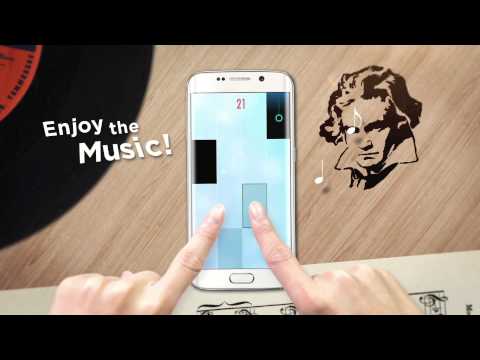 ▶
Watch: Piano Tiles 2 — Fulfill Your Music Dream (official trailer, Piano Tiles 2)
For real gameplay, this second video is also from the official Piano Tiles 2 channel, posted just before launch. It shows a run through the Challenge Hall at 7.008 tiles per second — fast enough to see how the tiles stream down the screen and how quickly a run can end on one wrong tap. Use it to see the speed you are working towards, not as a target for your first week. Click the picture to watch on YouTube.
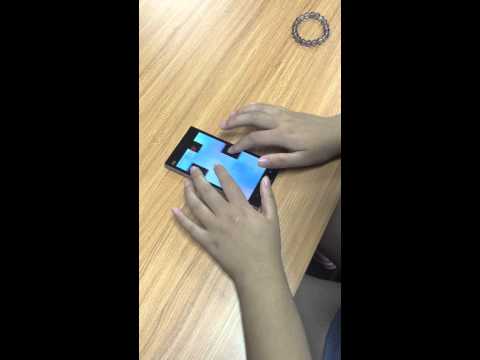 ▶
An honest note on both videos: they are from 2015, because the official channel's newer uploads are soundtrack clips for the live events rather than gameplay. The game itself is current — version 4.9.2, November 2026 — but these launch-era videos are the best verified official gameplay available, and the core tapping has not changed since.
Strategy 1: Use two fingers from the start, and split the board
Almost every beginner plays with one finger, and almost every player guide says the same thing about it: stop. Put your left index finger over the left two columns and your right index finger (or thumb) over the right two columns, and let each finger handle only its own half of the screen. At slow speeds one finger feels fine, but the songs speed up every time you pass a checkpoint, and by the time you are chasing stars you will need both hands. The WriterParty guide puts it plainly — tap in a rhythm rather than jerkily, even if it is a very fast rhythm — and that only works if your fingers are not crossing the whole screen. If two index fingers feel wrong, try index finger and thumb instead; the point is two fingers, each owning half the board. Practise this on the slow early songs, not on the fast ones.
Strategy 2: Play with the music on, and tap to the beat
The tiles are laid out to match the music, so the sound is a timing aid, not decoration. The player guides agree on this: with the music on, the steps line up with the notes, and you can almost play by ear once you know a song; with the sound off, you are reading tiles with your eyes alone and you will be slower. There is a lot of room for error on timing — you do not need to be perfectly on the beat — but the beat keeps your fingers in rhythm, and rhythm is what stops you from freezing when the screen speeds up. If you are somewhere you cannot play sound, the game still works, but expect your scores to drop.
Strategy 3: Learn the tile types before you chase speed
Piano Tiles 2 has more than black tiles, and each type has its own rule — this is from the fan wiki, and it is the single most useful thing to learn early. Normal tiles take one tap and are worth 1 point. Long tiles must be held: you can release early and treat them like a normal tile, but you lose the extra score, so hold them out when you can. Double tiles are two normal tiles in the same row, always in columns 1 and 3 or 2 and 4, and the wiki calls them the hardest tile type — hit both at once. Combo tiles are wide tiles with a number on them: tap that many times, and while you are tapping the song slows right down, then snaps back to full speed on the last tap, so be ready for the jump. Slider tiles are yellow-to-pink diagonal tiles you hold and drag left and right. Accompaniment tiles pair a long tile with blue target tiles in a diagonal pattern — all of them need pressing, but only the long tile scores. Burst tiles arrive as a hexagon in the middle of the screen and burst into a set of normal tiles when you tap them. Miss a tile, tap too late, or tap empty space above a tile, and the run ends — unless you use a revive, which is covered below.
Strategy 4: Master one song before you spread out
There are hundreds of songs — the game's own 2017 intro video claimed 726 — and the temptation is to try them all. The guides say the opposite: pick one song you like, play it until you can finish its first round cleanly, and only then move on. That is because the real skill in Piano Tiles 2 is not knowing a song, it is handling speed: every song gets faster after each checkpoint, and the same song at 7 tiles per second is a different game from the same song at 3.3. Mastering one song teaches your fingers the speed ladder, and that transfers to every other song. The guides also warn not to chase the top of the leaderboards — the very top scores are widely reported to be hacked, so set your own target and beat that instead.
Strategy 5: Treat lives and ads as part of the game, and play in short bursts
This is the honest part. Piano Tiles 2 is free, but it is built around lives, ads and a diamond paywall, and Dinsun's main complaint — aggressive monetisation and ads breaking the flow — matches what players report. A normal level costs 1 life, an event level typically costs 2, and lives come back slowly, roughly one every 10 to 30 minutes according to the fan wiki, or faster if you watch ads, level up or open gift boxes. (Lives were removed from the game in 2023 and added back in 2024, so older guides that say there are no lives are out of date.) When you fail a song, the game offers a revive: watch an ad for up to three revives, then a Health Pack, then diamonds — 1, then 2, then 3 per revive. There are also three boosts you can equip per song: a Shield that auto-revives you and presses a few tiles, a Decelerating prop that slows the song down after a revive, and a Booster that auto-plays the start of a song. None of this is optional to understand — it decides how much you can play in one sitting. The practical answer is short sessions: play until your lives run out, then stop. The game even has a rest reminder you can set from the main menu, and the guides recommend using it.
Walkthrough 1: Your first songs — Little Star and the first stars
The first time you open the game there is a short intro video, and then the game asks you to play Little Star — you cannot leave the intro screen until you try it. That is by design: it is the slowest song in the game and the whole tutorial. Tap the black tiles as they reach the bottom of the screen, ignore the white space, and finish the song. When you finish a song for the first time, orange coin tiles appear in random spots as you play — tap them for coins, and do not worry if you miss one, because missing a coin tile never ends a run. After your first song, more songs unlock as you gain experience levels, and the song list is also where you spend coins: some songs are bought with coins, and some can only be bought with diamonds. A useful early habit from the guides: replay songs you have already beaten, because the applause bonus round after a three-star finish is one of the best places to collect coins — tap with more than one finger or swipe side to side to pick them up across several rows at once.
Walkthrough 2: Rounds, stars and crowns — how a song actually ends
A song is not one pass through the music; it is rounds, and the rounds are where the score lives. This is from the fan wiki. A song is divided into checkpoints, and each checkpoint you reach earns you a star — up to 3 stars in the first round. When the round ends, the song loops back to the beginning, but faster, and after the first round the speed also rises at every checkpoint whether you earn a crown or not. Crowns work a little differently from stars: you get your 1st crown at the point where you would earn your 1st star in the first round, your 2nd crown at the end of the second round, and your 3rd crown at the end of the third round. In the second round and later, gift boxes appear in the same row as a tile — tap them and they are stored until the end of the run, when they pay out hearts, diamonds and coins. The fan wiki's challenge list gives the speed targets for the gameplay challenges: 1 star at 5.5 tiles per second, 2 stars at 6.2, 3 stars at 7, 1 crown at 8, 2 crowns at 9, and 3 crowns at 11.5 tiles per second. Those numbers are from the wiki and may have shifted in recent updates, but they show the shape of the climb: the jump from 3 stars to 3 crowns is the whole game.
Walkthrough 3: The Hall challenges — Speed, Gameplay and Classic
Once you have a few songs under your belt, the Hall is the game's real progression, and it is organised in three tabs on the fan wiki. Under Speed are the Beginner, Skilled and Master Challenges: the Beginner Challenge starts at level 3 at 3.3 tiles per second and runs through songs like Overture No. 1 in C major, and it is the one the launch trailer shows. Under Gameplay are the Slider Tile Challenge (from level 1, starting at 4 tiles per second), the Combo Tile Challenge (from level 8, starting at 5 tiles per second) and the Double Tile Challenge (from level 12, starting at 5 tiles per second, and the slowest to speed up — the wiki says only a handful of players worldwide have taken it to 3 crowns). Under Classic are the Accompaniment Challenge, the Single Tile Challenge and the Classical Gameplay Challenge, which can also be unlocked with a diamond rather than by level. Each challenge scores you against the same star and crown speed thresholds, and doing well pays coins — the tougher the challenge and the better you do, the bigger the reward, and your result is compared against the percentage of players worldwide who beat it. The practical route: clear the Beginner Challenge first, then Slider, then Combo, and leave Double Tile until your two-finger play is automatic, because it is the hardest tile type in the game and the challenge built around it is the hardest in the Hall.
Walkthrough 4: Coins, diamonds and lives — the economy, in plain terms
There are three currencies, and the fan wiki and the guides agree on how each one works. Coins are the orange music notes: you earn them from gift boxes, levelling up, playing songs, events, missions and the Lucky Spin, and you spend them on songs and on lives. Diamonds are the rarest currency: you earn them by levelling up, watching ads, finishing events and missions, and from the Lucky Spin, or you buy them with real money — 10 for $0.99, 53 for $4.99, 110 for $9.99 and 350 for $29.99 on the App Store page. Diamonds buy special songs that coins cannot, and they can also be exchanged for coins. Lives are spent to play — 1 for a normal level, typically 2 for an event — and come back over time, roughly every 10 to 30 minutes, or from ads, levelling up, gift boxes and missions. The guides' advice on spending is consistent: save your coins for songs, do not spend diamonds on revives (an ad revive is free and does the same job), and watch the ad videos for coins and diamonds rather than paying for them. The Lucky Spin is also worth a daily check, since it can pay out all three currencies. Holiday sales sometimes discount songs to 1 or 2 diamonds, or even free, so if a song you want is diamond-only, it is worth waiting for a sale rather than buying it at full price.
Walkthrough 5: Live events, Premium and Remove Ads — what is worth paying for
The current version of the game runs live events — the November 2026 update notes describe a new event with 8 new songs and unique rewards, and earlier events like Ocean Aria and Crystalline Melodies worked the same way: a set of new songs, played for event rewards and collectibles, for a limited time. Event levels cost 2 lives each, so they burn through your lives twice as fast as normal songs; play them early in a session, while your lives are full. Then there is the money question. Piano Tiles 2 Premium costs $6.99 a week or $9.99 a month on the App Store page — that is about $364 a year on the weekly plan, which is a lot for a game whose whole catalogue is playable free. Remove Ads is a one-time $4.99. My judgment, from the evidence in this guide: download it free, play it free, and do not subscribe. If after a week or two you are still playing every day and the ads are the thing that bothers you, the $4.99 one-time Remove Ads is the only purchase that makes sense — and only that one. Do not buy diamonds to unlock songs at full price, and do not buy the weekly Premium. Dinsun scored this game 78 out of 100 and called it a game to play for free; I agree with the number more than usual, but for a different reason. The App Store rating is 4.1 stars from about 51,000 ratings, and the gap is honest: players love the music and the feel of the tapping, and they hate the ads, the lives and the paywall, and both of those things are true at the same time. As a free game, played in short bursts with two fingers and the sound on, it is one of the best rhythm toys on the App Store. As something to spend money on, it is not.
Stuck? A short checklist before you look anything up
First, check which tile beat you: if it is a double tile, practise hitting two columns at once on a slow song before you try it at speed, and if it is a combo tile, remember the song slows while you tap it and snaps back on the last tap — that snap is what kills most runs. Second, check your fingers: if you are still playing one-handed, switch to two fingers with the board split in half, and practise on Little Star, not on a challenge. Third, check your lives before you start an event — an event level costs 2 lives, and starting one with a single life left wastes the attempt. Fourth, remember the speed thresholds are the real goal: 5.5 tiles per second for 1 star, 7 for 3 stars, 8 for 1 crown and 11.5 for 3 crowns, so if you are stuck on crowns, the problem is speed, not the song. And if a written step is hard to picture, watch the Challenge Hall video above and watch how the player's fingers move, not just the tiles.
Have you finished a song at 3 crowns, or are you stuck on the Double Tile Challenge? Tell us in the comments — and if you want the next walkthrough, tell us which game from our iOS list you want covered next.