
My Baby Pet Salon Makeover is a kids' pet-care game from Ninjafish Studios. You run a little salon for puppies, kittens, a unicorn pony, penguins, monkeys and zoo animals: wash them, brush them, colour their hair, put makeup on them, clip their nails, feed them, dress them up, and take their photo. It is free to download on iPhone and iPad, and it has 40 numbered levels that unlock one after another — but only levels 1–18 are free. Levels 19–40 need the $5.99 "Unlock All Levels" purchase, so a child will hit a paywall about halfway through. There are also banner ads across the top of the screen and video ads between levels, which is worth knowing before you hand it to a young child.
This guide walks through the whole game in order: first how a salon level works, then a tour of all 40 levels, so you know what is free, what is paid, and what each level asks you to do. There is no published step-by-step walkthrough of this game anywhere else, so the level descriptions below come from the game's own App Store listing, and the general tips come from an independent hands-on review of the app (Pixalate's COPPA review) and player reviews quoted on our own iosgames.net page. Where a tip comes from a source rather than the listing, I say so. Our Dinsun critic scored My Baby Pet Salon Makeover 35 out of 100 and called it a game to skip, mainly because more than half the content sits behind paywalls and the ads are intrusive for a children's game — even though the art is cute and the interface is simple enough for a toddler to use. One honest flag: our iosgames.net page for this game currently shows a different Dinsun score (75 out of 100). That page looks out of date; the score used here is the 35 from the game's critic file.
Quick Facts
Developer: Ninjafish Studios | Price: Free, with in-app purchases (Unlock All Levels $5.99, Remove Ads $4.99, Unlock All Tools $2.99, Pet Games $9.99) | App Store rating: 4.4 out of 5 (about 218K ratings in the US) | Size: about 201 MB | Requires iOS 15.6 or later | Age rating: 4+ | Playtime: no fixed length — 40 short levels, each a few minutes; our critic played all the free levels in about 2 hours. First released October 2016; current version 15.2, updated September 2026.
Get My Baby Pet Salon Makeover on the App Store
This is an unofficial fan guide and is not affiliated with Ninjafish Studios. Level descriptions come from the game's App Store listing, and the tips below come from that listing, an independent hands-on review (Pixalate) and player reviews. No step-by-step walkthrough of this game has been published anywhere else, so treat this as a working route through the game, not gospel — and the game can change with updates.
Watch the game first
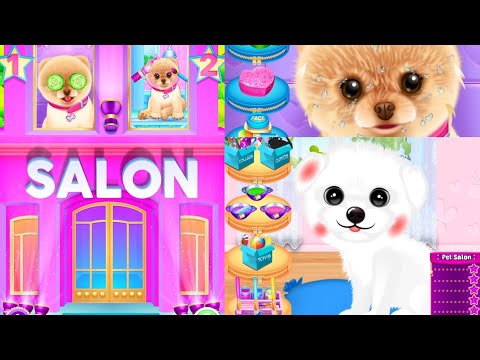
If you have never seen the game, this fan gameplay video shows the salon in action — washing, makeup, dressing up a puppy and a kitten. There is no official trailer for this game, so this is a real player's recording, not a developer video. Click the picture to watch on YouTube.
 ▶
Watch: My Baby Pet Salon Makeover — Fan Gameplay (WorldWide Games)
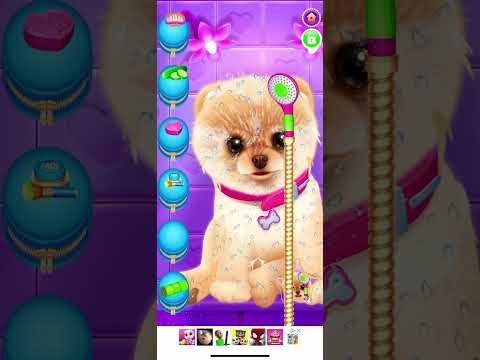
If you want to see the very first level played through, this short clip shows Level 1: the muddy Pomeranian puppy's bath, with the shower and soap tools. Use it when a written step below is hard to picture. Click the picture to watch on YouTube.
 ▶
Watch: My Baby Pet Salon Makeover Level 1 (ZaynAyan)
Strategy 1: Follow the on-screen prompts — there is no way to fail
This is the most important thing to understand about this game: there is no fail state, no timer and no score to chase. Each level is a short sequence of salon jobs, and the game lights up the tool you need next and shows you where to use it. If a child is stuck, the answer is almost always "tap the glowing tool, then drag it onto the pet." That is according to the independent Pixalate review, which played through the game hands-on, and it matches what the App Store listing describes. So this guide teaches the salon loop and the level order rather than fixed per-level solutions, because every level works the same way and the prompts do the guiding.
Strategy 2: Know the paywall before you start
Levels 1–18 are free; levels 19–40 must be purchased separately — that line is printed on the App Store listing itself. The unlock is the $5.99 "Unlock All Levels" purchase. Do not promise a child the panda (Level 19) or the pet party (Level 20) until you have decided whether to pay, because several player reviews quoted on our iosgames.net page are from children upset about hitting the paywall. The other purchases are "Unlock All Tools" ($2.99), "Remove Ads" ($4.99) and "Pet Games" ($9.99); the store does not spell out exactly what "Pet Games" unlocks, so this guide does not claim it does.
Strategy 3: Sort out the ads and purchases first
For a game aimed at children, the ads are the biggest annoyance. Pixalate's hands-on review found banner ads across the top of the screen and video ads playing throughout gameplay, mostly for other child-directed apps. The App Store listing itself says the game is "free to play, but you are able to purchase game items and remove advertisements with real money. If you don't want to use this feature, please disable in-app purchases." That is good advice: turn off in-app purchases in the device settings before handing the game to a young child, or pay the $4.99 once to remove ads. Our Dinsun critic's main complaint was the same thing — constant "Buy Now" prompts in a game aimed at toddlers.
Strategy 4: Learn the salon loop once — it repeats in every level
Every level follows the same order, with small changes for the animal: wash first, then dry and brush, then haircut and hair colour, then makeup, then nails, then feeding, then dressing up, and finally the photo or party scene. The tools change with the job — soap and shampoo and the shower for the bath, scissors for the haircut, the brush for grooming, nail clippers for the nails — but the order stays the same. Once a child has done two or three levels, they will know what comes next without help. New animals unlock by finishing levels, not by picking them from a menu, so the only way to meet the unicorn or the penguins is to play through in order.
Strategy 5: Play on iPad if you can
This is a practical tip, not a rule. The buttons and tools are small and the game is built for little fingers dragging things around, so a bigger screen helps — our Dinsun critic played it on an iPad Air. There is also a music toggle on the start screen, which Pixalate's review notes, so you can turn the music off if it gets repetitive. And remember the levels are short: each one takes a few minutes, so it is easy to stop after one level rather than letting a session run on through the ads.
Walkthrough 1: How a level works — the salon loop in order
Every level opens on a pet that needs help, and the game walks you through the jobs in this order. First the bath: use the soap, shampoo and shower to wash off the mud or dirt — Level 1's Pomeranian arrives muddy, and Level 6 is a full baby-pet bath with soapy bubbles. Next, dry the pet off and brush its fur; the brush also smooths the hair before styling. Then the haircut and hair colour: the listing promises pink, green and blue hair colour among others, and Level 2 is built around puppy makeup and hair colouring. Then makeup — lipstick and more, which shows up for the penguins in Level 10 and the tiger kitten in Level 7. Then nail clipping, which is its own level for the puppy in Level 11. Then feeding: carrots for the bunny, bananas for the monkey, a milk bottle for the baby kitten. Then dressing up, with outfits and accessories. Finally, the photo shoot or party scene that finishes the level — Level 5 is a pet photo shoot and makeup room. When the last job is done, the next level unlocks. If a tool seems locked, check Strategy 2: some tools are part of the paid "Unlock All Tools" purchase.
Walkthrough 2: Levels 1–10 — the free opening
Level 1 — Pomeranian puppy spa. Clean up the muddy Pomeranian with soap and water, then move to the makeover room.
Level 2 — Puppy makeup and hair colour. Colour the puppy's hair — pink, green or blue — and do its makeup.
Level 3 — Salon makeover room. Play with the toys, pick an outfit, paint the wall and pop the balloon.
Level 4 — Puppy park. Take the puppy outside to the park.
Level 5 — Pet photo shoot and makeup room. Dress the pet up and take its photo — the first big payoff level, and a good place to stop for a session.
Level 6 — Baby pet bath. A soapy-bubble bath with shampoo for a baby pet.
Level 7 — Kitten tiger makeup. Give the kitten a tiger makeover.
Level 8 — Bunny. Look after the bunny, including feeding it carrots.
Level 9 — Zoo animals. A mixed level with a hippo, a monkey, a lion and an elephant.
Level 10 — Penguins. Groom the penguins, including lipstick and the snowy scene.
Walkthrough 3: Levels 11–18 — the rest of the free game
Level 11 — Puppy nail clipping. Clip the puppy's nails with the clippers.
Level 12 — Kitten brushing. Brush the kitten's fur.
Level 13 — Monkey. Clean the mud off the monkey and feed it bananas.
Level 14 — Baby kitten. Change the baby kitten's diapers, give it its binky and feed it a milk bottle.
Level 15 — Kitten and puppy treats. Feed treats to the kitten and the puppy.
Level 16 — Magic pony unicorn. Groom the unicorn pony.
Level 17 — Parrot. Look after the parrot.
Level 18 — Tiger outfit. Dress the tiger up in an outfit. This is the last free level — the next one costs money.
Walkthrough 4: Levels 19–40 — the paid half
Everything from here on needs the $5.99 "Unlock All Levels" purchase — the listing says so plainly. In order, the paid levels are: Level 19 panda, Level 20 pet party, Level 21 dalmatian, Level 22 husky bedtime, Level 23 twin puppies cleanup, Level 24 car ride, Level 25 unicorn haircut, Level 26 kangaroo, Level 27 koala, Level 28 piglet, Level 29 narwhal bath, Level 30 chameleon, Level 31 duck, Level 32 hamster, Level 33 turtle, and Levels 34–40 elephant and zoo animals. The jobs stay the same salon loop from Walkthrough 1 — wash, brush, colour, makeup, nails, feed, dress, photo — just with new animals. Level 20, the pet party, is the one to know about: cleanup, decorating and music, and it is the second big payoff level after the Level 5 photo shoot. Whether the paid half is worth $5.99 depends on how much your child liked the free half, because it is more of the same loop with different animals — our Dinsun critic's view is that it is not, and the "Skip" verdict stands.
Walkthrough 5: The two payoff levels — the photo shoot and the pet party
Two levels are worth playing for even if you stop soon after. Level 5, the pet photo shoot, is the first time the whole loop comes together: wash and style the pet, do its makeup, dress it up, then take its photo in the makeup room. It is free, it shows off everything the game does, and it is a natural stopping point. Level 20, the pet party, is the same idea at a bigger scale — clean up, decorate the party, and enjoy the music — but it is behind the paywall, so treat it as the reward for the $5.99 unlock rather than something to promise in advance. Both levels work exactly like every other level: follow the glowing tool, do the job, and the game moves you on to the next one.
Stuck? A short checklist before you look anything up
First, follow the glowing tool — the game shows you what to tap and where to drag it, and there is no way to fail a level. Second, if a level will not open, check whether it is past Level 18: levels 19–40 need the $5.99 unlock. Third, if a tool looks locked, it may be part of the paid "Unlock All Tools" purchase. Fourth, if ads keep interrupting, turn off in-app purchases in the device settings or use the $4.99 Remove Ads purchase. Fifth, if a written step is hard to picture, watch the Level 1 clip above — it shows the bath tools in action. And remember there is no published step-by-step walkthrough of this game anywhere else, so if a level looks different from this guide, the game has probably changed in an update — the App Store listing's level list is the most reliable reference.
Have you finished My Baby Pet Salon Makeover, or is your child stuck somewhere else in the game? Tell us in the comments — and if you want the next walkthrough, tell us which game from our iOS list you want covered next.