
Lingokids: Games & Shows is a learning app for children aged 2 to 8, built around games, songs, videos and shows instead of worksheets. It is free to download on iPhone and iPad, from Monkimun Inc, and it has been running since 2015 — version 26.48.0 arrived in November 2026, adding Star Wars: The Mandalorian activities with Mando and Grogu. The library holds more than 4,000 activities across 650-plus learning objectives, covering reading, maths, science, music, art, social-emotional learning and movement, with content from Oxford University Press, NASA, Disney, Blippi and Pocoyo. It is ad-free on every plan and KidSAFE certified, which is the whole point of it: a closed app a small child can tap around in without hitting an advert or a shop.
One naming note before anything else: the app used to be called "Lingokids: Play and Learn", which is the name our Dinsun critic file still uses, and the old App Store link still redirects. The current name is Lingokids: Games & Shows, and that is the name this guide uses. This guide teaches the app in phases, because there are no levels to walk through one by one — there is a daily feed of activities, a set of worlds to explore, and a subscription decision to make. Where a step comes from the App Store listing, Lingokids' own Help Center or the official Lingokids blog, I say so. Where sources disagree, I say that too, instead of picking one version and pretending the other does not exist. Our Dinsun critic scored Lingokids 45 out of 100 and called it a game to skip, praising the production values (visuals 8, audio 8, performance 9) while marking it down for thin gameplay (gameplay 3, mechanics 2, fun 4) and an expensive subscription. My own verdict is below, and it is not the same as Dinsun's.
Quick Facts
Developer: Monkimun Inc | Price: Free, with a Lingokids Plus subscription | App Store rating: 4.2 out of 5 (about 693,000 ratings) | Size: about 244 MB | Requires iOS 15.1 or later | Age rating: 4+ (Made for Ages 0–5) | Internet connection required on the free plan — offline play is a Plus feature | Playtime: open-ended — a daily learning habit, not a game to finish. Subscription prices on the live App Store page: monthly plans $14.99–$15.99, yearly plans $71.99–$89.99. Lingokids' own website lists $13.49 a month or $161.88 a year, so the price depends on where you subscribe. The listing flags in-app purchases; there are no adverts anywhere in the app.
Get Lingokids: Games & Shows on the App Store
This is an unofficial fan guide and is not affiliated with Monkimun Inc or Lingokids. Steps were checked against the App Store listing, Lingokids' Help Center and official blog (both updated November 2026), the Lingokids YouTube channel and player reviews. The app changes with updates, so treat this as a working route through the app, not gospel.
Watch the game first
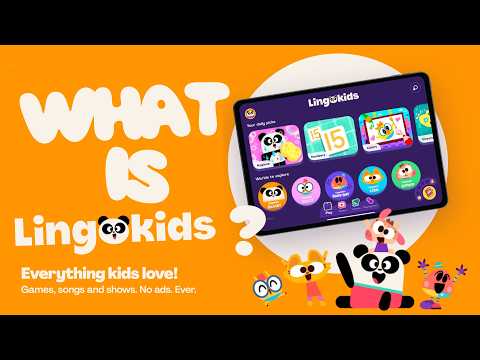
If you have never seen the app, this 31-second official video from the Lingokids channel explains the whole idea: thousands of songs, shows, games and interactive activities for ages 2 to 8, in one ad-free place. Click the picture to watch on YouTube.
 ▶
For a look at an actual game inside the app, this official video plays through Bathroom Time, the most-played game in Lingokids according to the company's own blog. Elliot the panda and Lisa the cat brush their teeth, rinse, soap up, shower and dry off — about two minutes of exactly the kind of tap-along routine the app is built on. Click the picture to watch on YouTube.
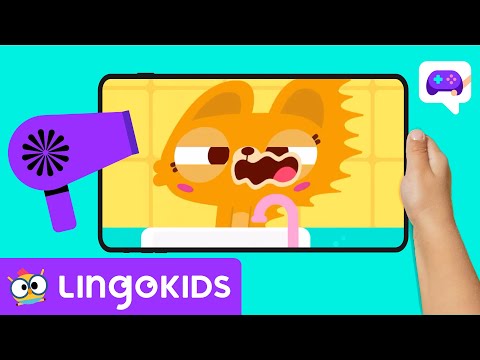 ▶
Watch: BATHROOM ROUTINES GAME with Elliot and Lisa (Lingokids Activities for Kids)
One warning about videos: there is no official launch trailer for this app on the Lingokids channel — the two videos above are the closest official introductions, and both are current. Do not confuse this app with the many Lingokids song and cartoon compilations on YouTube, which are videos to watch, not the app itself. This guide is only for the Lingokids app, App Store id 1002043426.
Strategy 1: Judge it as a learning app, not as a game
The most important tip in this guide, and the one that decides whether you will like the app: Lingokids is not trying to be a game. Dinsun scored it 45 out of 100 because he reviewed it as a gamer — gameplay 3, mechanics 2, fun 4 — and on those terms he is right: the activities are simple tap-along mini-games, songs and videos, and an older child will find them easy. But that is the wrong test. The app is built for 2- to 8-year-olds, and the people who actually use it rate it 4.2 out of 5 across about 693,000 App Store ratings. If you are a parent looking for safe, structured screen time that teaches letters, numbers and routines, this is a strong app. If you are looking for a game with challenge, progression and something to beat, download something else — Dinsun's "skip" is the right call for you.
Strategy 2: Start on Basic and let the 10-a-day limit work for you
Do not subscribe on day one. The free plan, Lingokids Basic, is a real free tier, not a three-day demo: it costs nothing, needs no payment details and never expires. Each day your child gets a fresh set of 10 activities in the main feed, picked for their age and level, plus a few extra games tucked into the Worlds to Explore section, and tomorrow there is a new set. Ten activities is a sensible daily dose for a 2- or 3-year-old, and many parents prefer having a built-in stopping point — the app runs out, the child puts the tablet down, and nobody has to be the villain. Run Basic for a full week first. If your child is asking for more every day, or has a favourite game they want to replay, that is the moment to think about Plus — not before.
Strategy 3: Set the profile up properly — age is the whole difficulty system
There is no difficulty setting in Lingokids. The app pitches activities to your child's age and level, so the profile you create at setup decides what shows up in the daily feed. Enter the real age: a 2-year-old gets colours, animal sounds and simple matching, while a 7-year-old gets phonics, addition and coding-flavoured activities. The free plan allows one child profile; Plus allows up to four, each pitched at that child's age. If two children share one tablet on Basic, the feed will be pitched somewhere between them and neither will get the right level — that is the single best reason to upgrade, if you have more than one child using it.
Strategy 4: Follow the characters and the subjects your child actually likes
The app is organised around five original characters who host different kinds of content: Elliot the panda, Cowy the cow, Billy the inventor, Lisa the cat and Baby Bot the homemade robot. Children pick favourites fast, and the favourites are a useful guide — a child who follows Baby Bot will find the science and how-things-work activities, while a child who follows Elliot will find the movement and sports ones. The subjects run from reading and maths to science, music, art, social-emotional learning and physical activity, including stretches and yoga songs. The Disney collections — Mickey & Friends, Moana, Frozen, Toy Story, Marvel Spider-Man, Pixar Cars and, since November 2026, Star Wars: The Mandalorian — sit alongside the original characters, and they are the easiest way to hook a child who already loves those films. Let the child choose what to tap: the app's own Playlearning idea is that learning sticks when it is wrapped in fun, and a child who picks their own activity stays with it longer than one who is assigned one.
Strategy 5: Treat the free trial like a test, with an alarm set
Lingokids Plus starts with a 7-day free trial, then charges monthly or yearly unless you cancel. The prices vary by where you subscribe — the App Store page lists monthly plans at $14.99–$15.99 and yearly plans at $71.99–$89.99, while Lingokids' own website lists $13.49 a month or $161.88 a year — so check the price at checkout before you tap anything, and do not trust a price you saw in a review. Two things catch people out. First, deleting the app does not cancel the subscription: you have to cancel through the App Store, in Settings > Apple ID > Subscriptions, or wherever you subscribed. Second, the monthly price adds up fast — $14.99 a month is about $180 a year, which is more than the yearly plans cost, so if you do subscribe, the yearly plan is the cheaper route. My advice: start the trial on a day you will remember, set a phone reminder for day six, and decide on day six with a week's evidence, not on day one with enthusiasm.
Walkthrough 1: Install and set up — parent account, child profile, language
Download the app (about 244 MB, iOS 15.1 or later, age rating 4+) and open it. Setup is done by the parent, behind a parental gate: create a parent account, then add your child's profile with their real age, as in Strategy 3. You can also pick a language — the app is in English by default, and since October 2026 the same games, songs and shows also play in Spanish and Brazilian Portuguese, which is worth knowing for bilingual families or a child starting Spanish. Once the profile is set, the app opens onto the child's home screen: a bright feed of activities with the five characters, no adverts, no pop-ups and nothing to buy by tapping — the shop and the subscription screens live behind the parental gate, where a child cannot reach them by accident. Before you hand the tablet over, open the Parents Area yourself (also behind the gate) and look at what is there: on Basic you will see the profile and the daily feed, while the Progress Center reports, screen-time limits and extra profiles are marked as Plus features.
Walkthrough 2: The first day on Basic — the daily 10
On the first day, the main feed shows the day's 10 activities, picked for your child's age and level. Tap the first one together and stay for it: most activities take two to five minutes, and the first session should be short — the point is to learn how the app feels, not to burn through all 10. A good first game is Bathroom Time, the app's most-played game: Elliot and Lisa brush their teeth, rinse, soap up, shower and dry off, in the same order every time, and a small child can finish it alone after one guided run. The second video above plays through the whole thing, so you can see the routine before your child does. After each activity the app moves on to the next one in the feed; when the 10 are done, the feed is finished for the day and refreshes after 24 hours. That is the whole free loop, and it is worth saying plainly: there is no way to earn more activities on Basic, no coins to collect and no video to watch for extra turns. If your child wants more, the extra games in Worlds to Explore are the only free ones left — see Walkthrough 4.
Walkthrough 3: The activity types — games, songs, shows, books and movement
The 4,000-plus activities fall into a few types, and each one teaches differently. Games are the tap-along mini-games: matching, sorting, tracing letters, counting objects, dressing characters and simple puzzles. Songs are the sing-along videos the Lingokids YouTube channel is famous for — the alphabet chant, the weather song, hand-washing and teeth-brushing songs — and they are the easiest activities for a 2-year-old, because there is nothing to get wrong. Shows are the short cartoons, including Baby Bot's Backyard Tales and the LingoCamp stories, which teach social-emotional lessons like sharing and taking turns. Books and stories are read-along activities, and movement activities are stretches, yoga and dance songs that get a child off the sofa. For each activity, the app says what it teaches — phonics, number sense, empathy, a routine — so a parent can see the point of it at a glance. Two honest limits: on Basic your child cannot replay a favourite activity — replay is a Plus feature, so a game they loved today may not be in tomorrow's feed — and the activities are deliberately easy, so a 7- or 8-year-old will finish most of them quickly. That is by design for the age range, and it is also why Dinsun called the mechanics simplistic.
Walkthrough 4: Worlds to Explore, Lessons and the Disney and Star Wars collections
Once the daily 10 are done, the Worlds to Explore section is where the extra free games live — a few more activities outside the daily feed, themed around places and characters. It is small on Basic, but it is the only way to stretch a free day, so check it before you conclude the app is finished for the day. Lessons are the app's step-by-step learning paths — a sequence of activities that builds a skill in order, rather than the daily feed's mixed set — but full access to Lessons is a Plus feature, so on Basic you will only see part of them. The themed collections are the other place to look: the Disney activities (Mickey & Friends, Zootopia, Marvel Spider-Man, Pixar Cars, Lilo & Stitch, Toy Story, Moana and Frozen) are mixed into the feed, and the newest collection is Star Wars: The Mandalorian, five activities added in November 2026 with Mando and Grogu — races, a Razor Crest asteroid-dodging game and food-themed fun. If your child is a Star Wars fan, check the feed for those five first, because they are the freshest content in the app and the likeliest to hold an older child's attention.
Walkthrough 5: The Parents Area and the Plus decision
After a week on Basic, open the Parents Area and decide about Plus with evidence, not enthusiasm. The Parents Area is where the Progress Center lives on Plus: reports on what your child has played, which skills they have practised and which milestones they have hit. On Basic you do not get the full reports, so judge by watching instead — did your child ask for the app every day, did they finish the 10 and want more, do they have a favourite they keep asking to replay? Plus unlocks the full library of 4,000-plus activities with no daily limit, replay of favourites, all Lessons, offline downloads, up to four child profiles and a daily screen-time cap per child. It makes sense if you have more than one child, you travel and need offline play, your child has a favourite game they want to replay, or you want the screen-time limits and progress reports — those are Lingokids' own criteria, and they are the right ones. If none of those apply, Basic is enough, and the company says so itself. One more honest comparison before you pay: Khan Academy Kids is a free learning app for the same age range with no subscription at all, and it is the obvious alternative to try alongside Lingokids for a week. Our Dinsun critic file lists it as a similar app, and it is the fairest check on whether Lingokids Plus is worth about $15 a month to your family.
Stuck? A short checklist before you look anything up
First, if the feed is empty, check the clock: the 10 daily activities refresh every 24 hours, so a finished feed stays finished until tomorrow — try the Worlds to Explore section for the extra free games, and remember Basic needs an internet connection, because offline play is Plus-only. Second, if everything your child wants is locked, that is the Plus wall, not a bug: replaying favourites, full Lessons and the whole 4,000-activity library are paid, and the lock screen will say so. Third, if a subscription charge appears that you did not expect, check Settings > Apple ID > Subscriptions — deleting the app does not cancel it, and the trial converts to a paid plan after 7 days unless you cancel. Fourth, if the app is showing the wrong language, check the language setting: Spanish and Brazilian Portuguese were added in October 2026, and a tap in the wrong place can switch the whole app. Fifth, if the activities feel too easy or too hard, check the child profile's age — the feed is pitched to the age you entered at setup, so a wrong age is the usual cause. And if a step above does not match what you see, check the two videos — the "What Is Lingokids?" video shows the app as it looks today, and the Bathroom Time video shows a real game from the inside.
My verdict, not Dinsun's: Dinsun scored this 45 out of 100 and said skip, calling it a poor game with an aggressive subscription. He is right about the game part and half right about the subscription — but he reviewed the wrong thing. As a learning app for 2- to 8-year-olds, Lingokids is genuinely good: it is completely ad-free, KidSAFE certified, built with Oxford University Press content, and rated 4.2 out of 5 by about 693,000 parents. The free plan is the honest surprise here — 10 fresh activities a day, forever, with no card required — and one detail in Dinsun's file is out of date: he wrote that free users get 3 activities a day, but the Help Center now says 10, and the app really does give you 10. My verdict: download it free, run Basic for a week, and let your child decide. If they ask for it every day and want to replay favourites, try the 7-day Plus trial with a reminder set for day six — and compare it with free Khan Academy Kids before you pay. If they are bored after three days, delete it and move on; the app costs you nothing to find out.
Have you tried Lingokids with your child, or are you stuck on the free plan or the Plus decision? Tell us in the comments — and if you want the next walkthrough, tell us which game from our iOS list you want covered next.