
Klondike Adventures: Farm Game is Vizor Apps' free farming sim set in the Gold Rush era: you join Kate and Paul in the Alaskan wilderness, clear a patch of frozen ground, and turn it into a working farm — growing crops, raising animals, building factories and filling orders — while expeditions take you out to new map locations full of quests, characters and buried treasure. It is free to download on iPhone and iPad, with in-app purchases (emeralds and packs) and an energy system that limits how much you can do in one sitting. The game needs an internet connection to play.
This guide walks through the early game in order, then teaches the systems that carry you through the long haul. There are no fixed levels to list one by one — this is an endless farm sim where every expedition is a new map and the farm keeps growing — so instead of pretending there is a single answer to copy, this guide teaches you how to play any part of the game well. Where a tip comes from the App Store listing, the developer's own help pages or a published player guide, I say so. Our Dinsun critic scored Klondike Adventures 52 out of 100: the production values and the farming-plus-exploration mix are genuinely good, but the energy bar is very restrictive and the game pushes in-app purchases hard — his verdict was to wait for a sale on the in-app packs if you decide to spend anything at all.
Quick Facts
Developer: VIZOR APPS LTD | Price: Free, with in-app purchases | App Store rating: 4.7 out of 5 (about 132K ratings) | Size: about 261 MB | Requires iOS 15.0 or later | Age rating: 12+ (Loot Boxes, Frequent/Intense Contests) | Current version: 2.154 (updated November 23, 2026). Internet connection required.
Get Klondike Adventures: Farm Game on the App Store
This is an unofficial fan guide and is not affiliated with Vizor Apps. The rules and mechanics below come from the App Store listing, Vizor's own help centre and published player guides (TechACake, the Klondike community guides). The game changes with updates, so treat this as a working route through the game, not gospel.
Watch the game first
No official trailer for this app could be found, so there is no trailer video here — instead, here are two videos that show the real game. The first is from the official Klondike Adventures channel: a walkthrough of the Strange Little Town expedition, which shows exactly how an expedition map works — clearing a path, following the quest markers and solving the location's puzzles. The second is a long, no-commentary playthrough of the farm itself, so you can see the daily loop of planting, harvesting and filling orders before you start. Click a picture to watch on YouTube.
 ▶
Watch: Klondike Adventures Walkthrough: Strange Little Town | Part 49 (official Klondike channel)
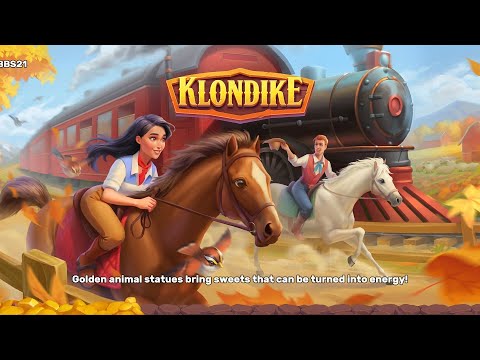 ▶
Watch: Klondike Adventures Full Gameplay | Relaxing No Commentary Playthrough
Strategy 1: Treat energy as your real currency, not coins
Everything in Klondike costs energy — clearing a rock, chopping a tree, breaking a snowdrift — and the energy bar at the top of the screen is the thing that decides how long you can play. This is the complaint our Dinsun critic and every player guide agree on: you can burn through a full bar in about five minutes of clearing and then you are done for the hour. So spend energy on purpose. Clearing snow blockages is the exception that proves the rule: the early guides note that breaking a snowdrift gives you energy back as a reward, so the opening stretch is more generous than it looks. Energy comes back over time, and you can top it up by completing orders and watching the optional ads — the guides agree those are the free sources, so use them before you ever think about buying emeralds. Never spend energy clearing a random patch of ground just because it is there.
Strategy 2: Follow the quest markers, not your curiosity
Every location has a main quest line marked with arrows and icons, and the published guides all give the same advice: follow those markers first. Clearing everything in sight is the fastest way to run dry, and the quests are what unlock new buildings, new land and the next location. The question marks scattered around a map are hints, not decoration — tap one and it shows you where the thing you need is growing or hiding. If you are stuck on what to do next, look for the arrow: it is pointing at the next step of the story, whether that is harvesting a particular crop, repairing a building or reaching a new character.
Strategy 3: Keep the production chain moving, never idle
The farm runs on a simple chain, straight from the App Store listing and the player guides: plant crops in the garden beds, harvest them, feed animals, and turn the raw goods into crafted items in your factories. The mistake is letting any link sit idle. The moment you harvest beans, plant new ones in the same beds so they are growing while you do something else. Repair the barn early — the guides say you need Sequoia logs for it — because the barn stores your beans, and beans are what you craft into animal feed. Buy the chicken feeder from the Market (the cash-register icon at the bottom left) and keep the chickens fed, because eggs are one of the first goods the order board wants. A factory that is not producing is progress you are not making.
Strategy 4: Work the order board — it is your main source of coins and XP
Coins and experience mostly come from one place: the order board. Tap it and you will see orders from Dawson and the other characters — ship the goods listed and you earn coins and XP, and levelling up brings rewards of its own. The green mark on an order means you already have those items in storage, so it can be shipped right away; an order without the green mark means you still need to grow or craft something first. Do the green-marked orders first, every time you open the game, because they are free progress. And do not ship an order the moment it appears if you are low on a good you need for a quest — check the quest list first, since a quest may ask for the same item and you would have to grow it all over again.
Strategy 5: Save your emeralds — speed-ups are the worst deal in the game
Emeralds are the premium currency, and the game offers them at every turn: tap a factory and it offers to finish production instantly for emeralds, tap a crop and it offers to grow it now. Do not take those offers. The player guides are blunt about this: speeding up a single production slot is the worst value in the game, and the energy system is designed to make you feel impatient enough to pay. Keep your emeralds for the things only emeralds can buy — extra production slots and permanent unlocks — and let timers run while you are away from the game. If you do decide to spend real money, our Dinsun critic's advice stands: wait for a sale pack rather than buying the small emerald bundles at full price.
Walkthrough 1: Your first session — rescue Paul and plant your first beans
The game opens with Silent Shadow telling you her friend Paul is trapped behind ice rocks. Follow her instructions: tap the snow blockages in your way and break them — each one costs energy but returns some as a reward, so you will not run dry here. Once Paul is free, the game teaches you the basic loop. Tap a garden bed where the beans are growing, drag the sickle that pops up to harvest them, then plant new beans in the same beds right away so nothing stands idle. The question mark on an instruction shows you where the thing you need is — use it whenever you are not sure what to tap. By the end of this first session you will have harvested your first crop, planted the next one and met the first neighbours who want to trade with you.
Walkthrough 2: Build the farm — barn, chickens and the Sawmill
Your next job is to make the farm actually produce. First, repair the barn: tap it and the game tells you what it needs (Sequoia logs, gathered by clearing trees). The barn matters because it stores your beans, and beans become animal feed. Next, open the Market — the cash-register icon at the bottom left — and buy a chicken feeder from the animal feed section, then place it by the barn. Chickens give you eggs to sell and to ship on the order board. Keep levelling up by filling orders, because the early game has a known sticking point the player guides flag: around level 3 the orders on the board start looking impossible to fill, and nothing tells you what to do about it. The answer is to look to the right of the cattle ranch, where there is an ice wall. Breaking it costs just 1 energy, and behind it is the Sawmill — unlocking it is what lets you make the planks and materials the level 3 and 4 orders are asking for, and it will usually push you over into level 4.
Walkthrough 3: The order board and trading with Dawson
Once the farm is producing, the order board becomes your daily routine. Open it (the board in Dawson, reached from your farm) and work through the orders with green marks first — those are the ones you can ship immediately for coins and XP. Then look at the orders that are not ready: they tell you exactly what to grow, craft or gather next, so treat them as your to-do list. Ship an order by tapping it and confirming with the green mark, or decline with the red X if the reward is not worth the goods. Each level-up brings rewards, and the coins you earn go straight back into the Market: new fields, new animals and new factory buildings, in that order. Do not buy decorations until your production chain is running smoothly — a pretty farm that cannot fill an order is just a pretty farm.
Walkthrough 4: Your first expedition — leaving the farm
Expeditions are what make Klondike different from a plain farm sim like Hay Day. When a quest sends you to a new location, you leave the farm and arrive on a fresh map with its own obstacles, characters and treasure. The rules from Strategy 2 apply double here: follow the quest arrows and clear only what is in your way, because expedition maps are big and your energy bar is not. Clear a path to the quest objective, pick up the treasure and quest items along that path, and talk to every character you meet — they hand out the next steps. The Strange Little Town walkthrough video above is a good example of one of these locations: it shows the whole shape of an expedition, from arriving in a new place to solving its puzzles and escaping. When you finish a location, head home and put the loot to work on the farm before the next expedition opens.
Walkthrough 5: Events, mini-games and the long game
Past the early game, Klondike runs on themed events and locations — the current version's festive update, for example, adds a Race Track with Sir Chaney, a Mail Run with Kate and Silent Shadow, a Bureau of Wonders hunt for the missing Santa with Jessie and Mike, and a Masters' Village storyline with journalist Marianne, according to the App Store release notes. These are usually time-limited, so check the event tab when you log in and start any event that is about to end before the permanent content. Between expeditions, play the mini-games at your farm and in other locations for gifts and prizes — they are a free source of the resources the events ask for. And accept the pace: this is an endless game with no final level, so the goal is a farm that produces steadily and an energy bar you never waste. Log in, fill the green-marked orders, start anything with a timer, and log out — the farm works while you are away.
Stuck? A short checklist before you look anything up
First, check your energy: are you trying to clear things that are not on the quest path? Stop clearing and follow the arrows. Second, check the order board: is there a green-marked order you can ship right now for coins and XP? Third, check your production chain: is a garden bed empty, a factory idle or an animal unfed? Fourth, if the orders feel impossible around level 3, go to the cattle ranch, break the 1-energy ice wall on its right side and unlock the Sawmill — that is the step the game never tells you about. Fifth, if you are out of energy entirely, do the free things: complete an order, watch an optional ad, or just come back later — the bar refills over time. And if a written step is hard to picture, watch the two videos above: the official walkthrough shows an expedition from start to finish, and the full gameplay video shows the daily farm loop in real time.
Are you stuck on a particular expedition, or is your farm short on something the order board keeps asking for? Tell us in the comments — and if you want the next walkthrough, tell us which game from our iOS list you want covered next.