
Give It Up! 2 is a rhythm platformer from Invictus Games in which you guide a small hopping blob through obstacle courses that move to the beat. The blob hops forward on its own; your only control is a single tap on the screen. Tap at exactly the right moment and the blob leaps over spikes, gaps and platforms — mistime it by a fraction of a second and you are back at the start of the stage. It came out on 29 October 2015 and it is still the same game today: version 1.8.8 landed on 2 October 2021 and nothing has changed since. It is free to download, there is no subscription, and the money question is the one that matters most here, so let us settle it first: you can finish the whole game without spending anything. There are ads, and a Remove Ads purchase at $0.99 (US App Store price) takes them away. The other purchases are a Premium Pack at $3.99, an Unlock Pack at $3.99 that opens the next set of stages early, coin packs from $1.99 to $4.99, character skins from $0.99 to $1.99 each, and an "Unlimited free checkpoints" purchase at $1.99 to $3.99 — prices vary by storefront and region, so treat those as a guide, not gospel. Nothing in the game is hard-locked behind payment: the stage gates can be opened by earning stars, the characters are cosmetic only, and the checkpoints purchase only saves you replaying from the start of a stage. This guide walks you through the game in phases — the tap, the three tracks, the obstacles, the coins and the endgame — because there is no published, step-by-step text walkthrough of this game anywhere, and I will not invent one. Where a fact could not be verified, I say so.
Our Dinsun critic scored Give It Up! 2 72 out of 100, calling it "a simple, brutally difficult rhythm game that is as addictive as it is frustrating", and praising the simple controls, the catchy, well-synced music and the challenging, rewarding gameplay, while marking it down for the extreme difficulty, the repetitive levels and the thin content beyond the main rhythm dash. My own take, after checking the listing, the reviews and the player guides: I think 72 is about right, and the game is worth trying precisely because it costs nothing but patience. Dinsun's own sub-scores explain the picture — 8 out of 10 for gameplay, 8 for audio, 8 for mechanics and 9 for performance, but 1 for narrative, 0 for story and 5 for character. This is a game with almost no story at all, and it does not pretend otherwise. The critic file's value proposition of "Wait for Sale" is simply wrong — the game is free, so there is no sale to wait for. The real buying advice is: download it free, and spend $0.99 on Remove Ads only if the ads bother you. One honest flag on the score: the App Store rating is 4.0 out of 5, but from only 194 US ratings, which is a very thin base for a game from 2015 — and TouchArcade gave the sequel 4.5 out of 5, calling it "Perfectly Infuriating". The gap between those scores is the game itself: brilliant if you love brutal rhythm platformers, maddening if you do not. Try it free — and if one mistimed tap sending you back to the start of a stage makes you want to throw your phone, this is not your game.
Quick Facts
Developer: Invictus Games Ltd. | Price: Free | App Store rating: 4.0 out of 5 (194 ratings, US — a thin base, so do not over-read it) | Size: about 204 MB | Requires iOS 10.0 or later | Age rating: 4+ | Stages: 27, in 3 sets of 9, playable in any order, plus hidden stages to discover | Playtime: 4–6 hours to beat, according to the Dinsun critic file | Version 1.8.8 (2 October 2021) is the current version — the game has not been updated since. Purchases are optional: Remove Ads $0.99, Unlimited free checkpoints $1.99–$3.99, Premium Pack $3.99, Unlock Pack 3 $3.99, coin packs $1.99–$4.99, character skins $0.99–$1.99 (prices vary by storefront and region). No subscription.
Get Give It Up! 2 on the App Store
This is an unofficial fan guide and is not affiliated with Invictus Games. The mechanics below come from the App Store listing, the TechRaptor review, player guides and player reviews — where the sources disagree, I say so instead of picking one. The game changes with updates, so treat this as a working route through the game, not gospel.
Watch the game first
Watch these two real videos before your first run — the official trailer shows the game at its best, and the gameplay video shows the first stages played on a real iPhone. Click a picture to watch on YouTube.
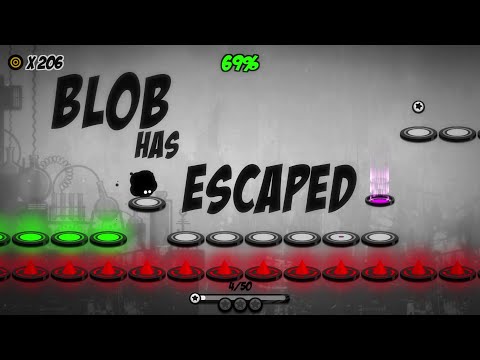 ▶
Watch: Give It Up! 2 iOS trailer by Invictus Games — Invictus Games (official trailer)
 ▶
Watch: Give It Up! 2 Gameplay Part 1 iPhone iPad iPod HD — KurdeBasur (fan gameplay)
One honest note: there is no published, step-by-step text walkthrough of Give It Up! 2, so the sections below teach the systems and the approach that the reviews and guides agree on, and lean on the gameplay video above for the moment-to-moment play. A YouTube series by Henry Boo covers individual stages on hard mode, which is worth searching for if you are stuck on one specific stage — but I am not printing per-level solutions here, because none have been verified in writing.
Strategy 1: The only control is one tap — and timing is everything
There is exactly one thing you do in this game: tap the screen. The blob hops forward to the beat on its own, and a tap makes it jump. The key detail, confirmed by the reviews, is that you tap exactly when the blob touches the ground — that is what gives you the big jump, the one that clears a gap, skips a platform or steps you up to a higher platform. Tap too early or too late and the jump is short, and a short jump means spikes, a pit, or splatting against the side of a high platform. Do not tap to the beat you hear — tap to the blob's feet. The music and the hopping are synced, so after a few deaths on the same stage the rhythm starts to click, and that is the whole skill in the game: learning the timing of one stage at a time. One warning from the player reviews: taps sometimes feel wonky or missed, so if a jump fails and you are sure you tapped, try tapping a fraction earlier rather than harder. And one honest flag: a 2015 review says the game has no restart button, so the fastest way to restart a stage is to die on purpose. That complaint is ten years old and I could not confirm whether it still holds in version 1.8.8, so if your version has a restart option, use it.
Strategy 2: Learn the three tracks — higher means more points and more danger
Every stage has three tracks stacked vertically: easy at the bottom, medium in the middle, hard at the top. Purple jump pads bounce you up a track, and the music changes slightly as you move between them. The tracks are not just difficulty settings — they are where the points live. Collecting points on the path earns stars: 10 points for one star, 30 for two, 50 for three, and each star tier maps to a track. That creates the game's central trade-off: a missed point on the medium track can force you up to the hard track to recover it, and the hard track is where the nastiest obstacles wait. Do not chase three stars on your first run through a stage. Finish the stage on the easy track first, learn where the spikes and gaps are, and only then climb for the points. The star totals matter beyond bragging rights, too: you need 22 stars per set to unlock the next set of 9 stages, so the stars you earn in the first set are the key to the second.
Strategy 3: Memorise the stage — reflexes alone will not save you
This is the hardest truth about Give It Up! 2, and it is the TechRaptor review's main criticism: some obstacles cannot be beaten by reflexes, only by knowing they are coming. Glass platforms crack as you approach them, with very little time to react. Some platforms change altitude the moment you step on the platform two steps below them. Moving blue platforms shift under you. None of that is telegraphed in advance, so your first runs through a new stage are scouting runs — you will die, you will learn where the trap is, and you will get a little further next time. Death restarts the stage from the beginning, and the checkpoints that exist are hard to reach, so expect to replay the opening seconds of a stage many, many times. That is the game. It is also why the Dinsun reviewer, a solid player, finished 15 levels in 5 hours — just past halfway through the 27 stages — before the grind bit. Play in short bursts. When a stage starts to feel like it is beating you rather than teaching you, switch to a different stage: unlike the original game, the sequel lets you play the 27 stages in any order.
Strategy 4: Spend your coins on characters — they are cosmetic, and that is fine
Coins are collected along the path in each stage, and — importantly — you keep the coins you collected even if you die. Spend them on new blob and slime characters: a fox, a cat, a panda, an owl, a devil, a thunderbolt and more, at $0.99 to $1.99 each if you buy them directly, or unlocked with coins earned by playing. They change how your blob looks and nothing else — there is no stat advantage, no easier jump, no extra life. That is worth knowing before you spend real money on one. The other way to earn coins for free is the daily challenges, which come in three difficulty levels and pay out coins you can spend on characters. And if the star gate is blocking you — you need 22 stars per set to open the next set — remember that the Unlock Pack purchase opens the next set early, but it is a shortcut, not a requirement: every star is earnable by playing, and finishing stages on the easy track still earns stars.
Strategy 5: Play in short bursts, and pick your battles
Give It Up! 2 is a game of fifteen-minute sessions, not two-hour marathons — Dinsun said as much in the critic file, warning that more than fifteen minutes at a time raises the blood pressure. The stages are short, the deaths are instant, and the same 30 seconds of a track repeats every time you restart, which the reviews note gets old fast. So treat it like an arcade machine: a few runs, a break, then come back fresh. Start with the first set of 9 stages and finish them on the easy track before you chase stars. If one stage is stonewalling you, leave it — you can play any stage in any order, and the stars from the other eight stages in the set may be enough to unlock the next set without it. And remember the sequel's advantages over the original Give It Up!: the original, from 2014, has 36 tracks, unlocks stages one after another, restarts you on a single mistake, and now costs $0.99 — the sequel is free, lets you choose your stage, and gives you the three-track system, coins, characters, hidden stages and daily challenges. Do not confuse the two games when you are looking up tips: the original's guides do not apply here.
Walkthrough 1: Your first hour — the first set of stages
Open the game and pick any stage in the first set — there are 9 in the set, and you can play them in any order, so start with the first one and treat it as the tutorial the game never gives you.
Learn the tap in the first stage. The blob hops on its own. Your first runs are about one thing: tapping exactly as the blob's feet touch the ground. Do not worry about points or stars yet — just jump the gaps and the spikes and reach the end. You will die. That is normal. Each death teaches you one more obstacle's timing, and after a few runs the stage's rhythm starts to feel natural.
Learn the tracks in the second and third stages. Once you can finish a stage, start watching for the purple jump pads. They bounce you up to the medium track, where the points are denser — and the obstacles nastier. Grab the points you can reach safely and ignore the ones that would kill you. Ten points is one star, and one star per stage across nine stages is already most of the way to the 22 stars you need to unlock the second set.
Collect coins as you go. Coins sit on the path alongside the points. You keep them even when you die, so there is no penalty for grabbing them aggressively. After a few stages you will have enough to unlock your first new character — pick the one you like the look of, because none of them changes how the game plays.
Walkthrough 2: The stages in order — 3 sets of 9, and the star gates
There are 27 stages in total, in 3 sets of 9, plus hidden stages to discover. The structure is the whole progression system, so here is how it works.
Set 1 — stages 1 to 9. The opening set, and the gentlest the game gets. Finish each stage on the easy track first, then go back for stars. You need 22 stars to unlock set 2, and there are 27 stars available in the set (3 per stage), so you do not need a perfect run — one star per stage plus a few two-star finishes will do it.
Set 2 — stages 10 to 18. The difficulty steps up: more spikes, tighter gaps, more of the glass platforms that crack under you and the platforms that change altitude without warning. This is where the memorisation from Strategy 3 becomes the whole game. Expect to spend more time per stage here, and expect the Dinsun reviewer's experience — a good player reaching about halfway through the game in 5 hours — to feel familiar.
Set 3 — stages 19 to 27. The hardest set, and the one where the three-track system matters most, because recovering a missed point can mean a forced jump to the hard track at the worst moment. Finish stages on the easy track first, learn the traps, and only then climb for the 50-point three-star runs.
Hidden stages. The App Store description says there are hidden stages to discover. One honest flag: I could not verify how many there are, or whether they add to the 27 or are included in it, so I am not printing a total. If you find one, tell us in the comments.
Walkthrough 3: The obstacles — what kills you, and how to beat it
Every death in this game is one of a small set of obstacles. Learn them and you stop dying to surprises.
Spikes. The most common killer. They sit on the path and on platform edges. Jump them with the big ground-timed tap, not a panicked early tap — a short jump lands you on the spikes.
Gaps and pits. Fall in and the run is over. The big tap clears most gaps; the ones it does not clear are usually on the higher tracks, where the jump pads give you the height instead.
Steps and high platforms. Some platforms are too high to hop onto directly — you need the big jump, or a purple pad to bounce you up a track. Splat against the side of a high platform and the run ends.
Moving blue platforms. They shift position as you approach. Do not jump the moment you see them — wait for the platform to settle into its path, then time the tap to where it will be, not where it is.
Glass platforms. They crack as you approach, with very little reaction time. These are pure memorisation: the first time you meet one you will probably die to it, and the second time you will know it is there. Do not linger on them.
Altitude-changing platforms. Some platforms change height the moment you step on the platform two steps below them. There is no warning and no telegraph — the only defence is knowing the stage. If a platform keeps killing you and you cannot see why, this is probably what is happening.
Walkthrough 4: Coins, characters and daily challenges
The meta-game around the stages is small, and that is a mercy in a game this demanding.
Coins. Collected on the path in every stage and kept even if you die, so grab them freely. They are the free route to new characters, and the daily challenges pay out more of them.
Characters. New blobs and slimes — fox, cat, panda, owl, devil, thunderbolt and others — unlocked with coins or bought at $0.99 to $1.99 each. Cosmetic only. There is no character that jumps further or survives a spike, so buy the one you like looking at.
Daily challenges. Three difficulty levels, refreshed daily, paying out free coins. They are the best free source of coins in the game and the cheapest way to unlock characters without spending money. Play them before you grind coins in the stages.
Leaderboards. Your scores go up against other players. The leaderboards are the only real endgame beyond finishing the stages — there is no story mode to complete and no final boss to beat.
Walkthrough 5: The endgame — finishing all 27 stages
There is no final boss and no ending cutscene. The endgame is the completion itself: all 27 stages finished, all three sets unlocked, and as many three-star runs as your patience allows.
Clear the sets in order, but finish stages first and chase stars second. A finished stage on the easy track is worth more than a half-finished stage with 40 points and a death at the end. Get the stage done, bank the star, and come back for the two- and three-star runs when you know the traps.
Expect the star gate to bite around set 2. The 22-stars-per-set gate is the game's soft paywall: if you are short, the Unlock Pack at $3.99 opens the next set early. But every star is earnable, and the stages you skipped in a set are still there — go back, finish them on the easy track, and the gate opens on its own.
Then hunt the hidden stages. Once the 27 are done, the hidden stages the App Store description mentions are the last thing to find. I could not verify how many there are, so consider this an open question — and if you find one, tell us in the comments.
A last word on the difficulty. The Dinsun reviewer finished 15 levels in 5 hours — just past halfway — and that is a realistic pace for a good player. If you finish all 27, you have beaten a game that most players never finish. And if you stop at 15, you have still had the experience the game is selling: a catchy beat, a blob, and one perfect tap after another.
Stuck? A short checklist before you look anything up
First, check your tap: are you tapping exactly when the blob touches the ground, or are you tapping to the beat you hear? Second, check your track: are you chasing points on the hard track before you can finish the stage on the easy one? Third, check the obstacle that keeps killing you: is it a glass platform that cracks, or a platform that changes altitude? If so, it is memorisation, not reflexes — die to it once on purpose, learn where it is, and jump it next time. Fourth, check your stars: if the next set is locked, go back and finish the stages you skipped in the current set — 22 stars opens the gate, and you do not need a perfect run. Fifth, check your session length: if you have been at the same stage for twenty minutes, take a break — the game is designed for short bursts, and a fresh attempt beats a frustrated one. Sixth, if a tap feels missed, try tapping a fraction earlier rather than harder. And if the ads bother you, the Remove Ads purchase is a one-off $0.99 on the US App Store.
Have you finished all 27 stages, or are you still stuck on the first set? Tell us in the comments — and if you want the next walkthrough, tell us which game from our iOS list you want covered next.