
Design Home™: House Makeover is Crowdstar's interior design game — now under Electronic Arts — where you furnish rooms with real furniture from real brands and let other players vote on your work. Each day brings a set of design challenges: a room, a brief, and a shopping list. You pick the sofa, the rug, the lamps and the art, submit the room, and other players vote on it head-to-head against another design. Score 4 stars or more and you win a piece of furniture; score a perfect 5 and you earn bonus diamonds. It is free to download on iPhone and iPad, it has been running since November 2016, and it is still being updated — version 1.138.102 arrived on 9 November 2026 as part of the game's 10th anniversary celebrations.
This guide teaches the game in phases, because Design Home has no fixed levels to walk through in order — it is a live-service game of daily challenges. Where a number comes from the App Store listing, I say so. Where it comes from player guides, I say that too, and I flag the ones that may have changed since those guides were written, because the game has added features (Design Pass, Design Duel, pets, HGTV challenges) since. Our Dinsun critic scored Design Home 64 out of 100, calling it "an addictive design tool disguised as a game" and marking it down hard for aggressive microtransactions. My own judgment, from the listing and the player evidence below, is a little kinder than that: the decorating itself is genuinely relaxing and creative, the game is playable for free if you play it patiently, and the 4.6-star App Store rating from about 518,000 players backs that up — but Dinsun is right that the diamond economy and the five-use limit on furniture keep pushing you towards spending, and the voting can feel unfair. Treat it as a free creative toy first and a competition second.
Quick Facts
Developer: Crowdstar LLC (Electronic Arts) | Price: Free, with in-app purchases | App Store rating: 4.6 out of 5 (about 518,000 ratings) | Size: about 376 MB | Requires iOS 15.0 or later | Age rating: 4+ on the App Store page — though the listing also says the game contains links to social networking sites "intended for an audience over 13" | Playtime: endless (live service, daily challenges) | Needs an internet connection. The current version is 1.138.102 (9 November 2026); the game launched 15 November 2016.
Get Design Home™: House Makeover on the App Store
This is an unofficial fan guide and is not affiliated with Crowdstar or Electronic Arts. Mechanics and numbers were checked against the App Store listing, the HubPages player guide and the PlayerAssist guide, which agree on the core loop; figures marked "player guides report" come from those guides and may have shifted with later updates. The game changes with updates, so treat this as a working route through the game, not gospel.
Watch the game first
If you have never seen the game, this is the official Design Home channel's HGTV collaboration video. It shows the look of the game — real rooms, real brands, and the voting format — in about a minute. There is no classic launch trailer on the official channel any more; this is the closest current official video. Click the picture to watch on YouTube.
 ▶
Watch: Design Home x HGTV™ is Here! (Design Home)
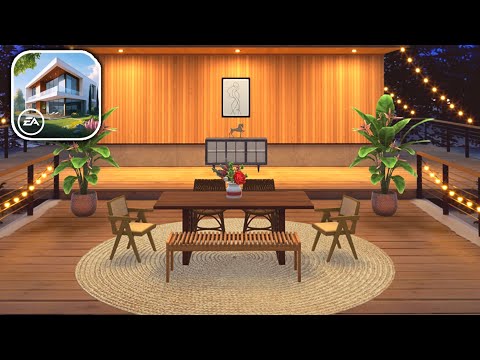
If you want to see the actual game being played — entering a challenge, picking furniture, and submitting a room — this gameplay walkthrough from HighLevelz covers a full session. Use it when a written step below is hard to picture. Click the picture to watch on YouTube.
 ▶
Watch: Design Home: House Makeover - Gameplay Walkthrough Part 1 (HighLevelz)
Strategy 1: Always enter the Daily Challenge
This is the single most repeated tip in every player guide, and it is the foundation of playing for free. The Daily Challenge has no brand or style requirements — it only asks for the room's basic furniture — it costs fewer keys to enter than other challenges (player guides report 20 keys against 25 for most others), and it pays the most cash for entering (player guides report $2,500 against $500 for most events). Early on, the guides recommend entering almost nothing else until your cash and inventory are built up. The daily reward is the other free habit: player guides report 500 diamonds and 20 keys a day for opening the game and collecting it, so even on days you do not design, open the app and claim it.
Strategy 2: Spend cash on furniture, save diamonds for decor
The two currencies are not interchangeable, and this is where new players go wrong. Cash buys furniture, lamps, chandeliers and rugs. Diamonds buy the accessories — pictures, plants, vases, wall decor — which cannot be bought with cash at all, and diamonds are also what you need to re-buy prize furniture once its uses run out. Diamonds are much harder to earn than cash, so before you buy anything, check which currency it costs. The player guides are blunt about this: never buy furniture with diamonds if a cash version will do. The App Store listing prices diamond packs at $1.99 to $19.99 in real money, which is exactly why the free player guards them so jealously.
Strategy 3: Buy cheap and versatile first
You level up by the total dollar value of furniture you place in challenges, so it is tempting to buy the expensive pieces — but if you run out of cash you cannot buy the required items for the next challenge at all. The guides recommend buying cheaper furniture early so you always have cash for the required pieces, and choosing items that will suit many rooms rather than one very specific look: a plain sofa you can reuse beats a hot-pink statement piece you can only use once. Remember that every item you buy can only be used five times before you have to buy it again — the little green number on each item in your inventory shows how many uses are left — so every purchase is really five rentals, not a permanent addition.
Strategy 4: Design for the voters, not for yourself
Your score is decided by other players picking between two rooms, so the room has to read well at a glance. Three things the guides and the top-scoring rooms agree on: meet the brief exactly (if the challenge asks for three green items or a Pottery Barn table, include them — voters can see the requirements), keep the colours and style coherent rather than mixing clashing pieces, and fill the optional purple bubbles too — rugs, lamps and artwork tie a room together and make an otherwise mismatched set of big furniture look deliberate. Do not submit a bare room just to collect the entry cash: without the prize you are spending item uses for $500, and a room that looks unfinished rarely scores well anyway.
Strategy 5: Vote every day to keep your keys flowing
Keys are the fuel for entering challenges, and voting is how you earn them — you are shown two rooms and pick your favourite, and after a set of votes you are rewarded with keys. Player guides report a cap of 75 keys, so do not let them sit at the cap while your daily keys go to waste: if you are about to max out, enter a challenge first, then collect. Voting also teaches you what scores well, because you see the rooms other players submit — including the top looks for each challenge, which are usually spectacular. One honest warning from long-time players: the voting is subjective and sometimes looks unfair — identical rooms have scored differently, and near-empty rooms occasionally outscore finished ones — so do not take a low score personally, and do not chase a perfect 5 every time.
Walkthrough 1: Your first challenge — from the lobby to a submitted room
Open the game and pick a challenge from the list. Each challenge names a room (a living room, a bedroom, a kitchen, sometimes a hotel lobby or a TV studio) and a brief, such as "three green items" or "a table from a specific brand". Entering costs keys — player guides report 25 for most challenges and 20 for the Daily Challenge — and you are paid cash on entry. Tap a coloured bubble to place furniture: blue bubbles are required and you cannot submit until every one is filled; purple bubbles are optional decor. Tapping a bubble shows the items you already own first, then items you can buy. You cannot choose where an item goes in the room, only which item to use, so the skill is in the choosing. You can filter the shop by colour, brand, style and pattern, which makes meeting a requirement ("three green items") much faster. When every blue bubble is filled and you are happy with the optional decor, submit. Your design then goes to voting, which player guides say can take a few days for results in the standard format; the newer Design Duel format returns results faster, in about two hours per player reports. Your final score is out of 5.
Walkthrough 2: The voting loop — what your score wins you
Scores work like this, according to the player guides: at 4 stars or more you win a furniture prize to use in future challenges, and at 5 stars you also earn 125 bonus diamonds. Below 4 stars you keep the entry cash but win no prize, which is why the guides warn against entering challenges with rooms you have not really tried on. While your designs are being voted on, vote on other players' rooms yourself: pick your favourite of each pair, and the keys you earn let you enter the next challenge. If a design of yours is waiting on results, it shows under "Awaiting Results" with a timer. Check the top looks for each challenge when results land — they are the best free lesson in what voters reward.
Walkthrough 3: Cash, diamonds and keys — running the economy without paying
There are three currencies to manage, plus Home points (covered below). Cash buys furniture, lamps and rugs, and is paid when you enter a challenge — player guides report $500 for most events, $2,500 for the Daily Challenge, and $1,000 for special series events. Diamonds buy accessories and re-buy prize furniture, and are the scarce one: player guides report 500 a day from the daily reward, 125 for a 5-star design, and occasional diamond payouts from special challenges. The App Store lists diamond packs from $1.99 (a Handful of Diamonds) to $19.99 (a Mound of Diamonds), plus themed items at $1.99–$3.99 — that is the paywall, and you can see why Dinsun called the monetisation aggressive. Keys are only for entering challenges, earned by voting and from the daily reward, with a reported cap of 75. The free routine the guides recommend is: collect the daily reward, vote until your keys are topped up, enter the Daily Challenge, and spend cash — not diamonds — on the required items. Special series challenges (usually four out of five entries wins a collection of items) pay more cash and are worth entering when you can meet their requirements.
Walkthrough 4: Levelling up and My Homes — where progression actually lives
There is no story campaign and no final level. You level up by the cumulative dollar value of the furniture you place in challenges — player guides report Level 2 at $20,000 placed and Level 3 at $50,000, with higher thresholds after that. Each new level unlocks more accessories (pictures, plants and other decor) and gives you free items. As you level up you also earn Home points — one per challenge entered, up to a reported maximum of 50 — which unlock rooms in My Homes, a separate, non-competitive part of the game where you design rooms in your own house, including the floors and walls, without entering a challenge. One catch the guides stress: placing furniture in My Homes uses one of that item's five uses, exactly as if you had entered a challenge with it, so decorating your own house eats the inventory you need for challenges. You can remove a piece from My Homes to get the use back. If you connect Facebook, you can also borrow furniture from friends who play, which saves cash on expensive required items.
Walkthrough 5: Events, Design Pass and the newer features
Beyond the daily challenges, the current game runs several rotating formats, all listed on the App Store page. Tablescaping challenges run every Tuesday and focus on dinnerware, flatware and centrepieces. Weekly Exterior Design challenges ask you to design gardens and outdoor spaces with unique garden decor and prizes. Design Pass is the game's season pass: playing through it earns diamonds and exclusive rewards faster, and it is the one paid extra the listing promotes most. The game also runs brand and designer spotlights — monthly trend spotlights, Interior Designer Voices challenges with well-known designers, and a recent HGTV collaboration with House Hunters-themed challenges — plus pets: you can add cats, dogs, fish and birds to your designs. And in the 10th anniversary update (version 1.138.102, November 2026) the game added new features, special challenges and anniversary rewards. If you are returning after a long break, the Daily Challenge and the tablescaping and exterior events are the fastest way to relearn the current economy, because they show you today's prices and rewards directly.
Stuck? A short checklist before you look anything up
First, check you have filled every blue bubble — you cannot submit a challenge with a required piece missing, and the submit button will not work until you do. Second, check your keys: if you cannot enter a challenge, vote on other players' rooms to earn more, and remember the reported 75-key cap. Third, check your cash before you buy: if a required item costs diamonds, look further down the shop list — the guides note there is usually a cash version of the same kind of item. Fourth, if a design scored badly, compare it with the top looks for that challenge before changing your taste — the brief and the voters' taste matter more than any single piece. Fifth, remember no item lasts forever: five uses and it is gone, and prize items cost diamonds to re-buy, so save your best pieces for challenges you can genuinely win. And if a written step is hard to picture, watch the gameplay walkthrough video above.
Have you finished a 5-star room, or are you stuck on a challenge brief? Tell us in the comments — and if you want the next walkthrough, tell us which game from our iOS list you want covered next.